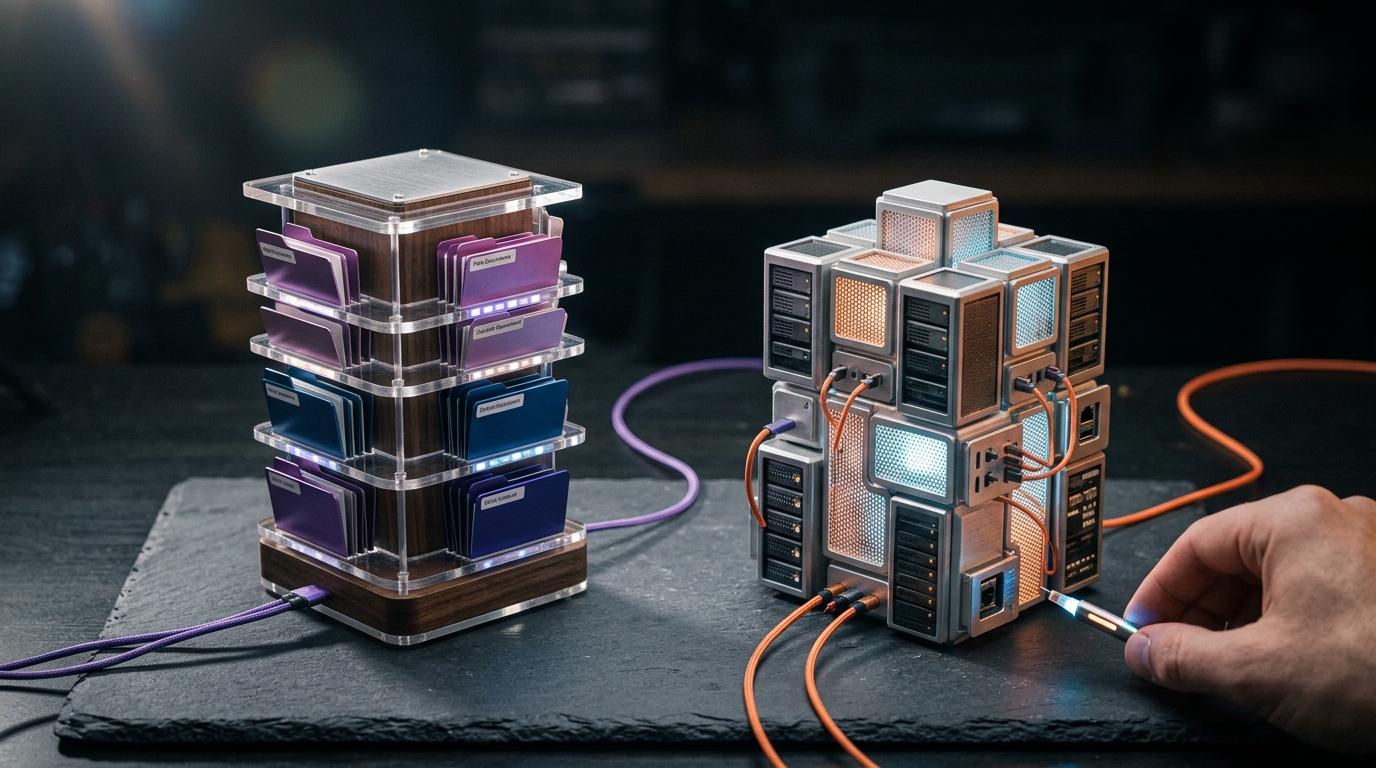
In a head-to-head benchmark on a dense, 5,047-page technical corpus, AnythingLLM achieved a remarkable 6% hallucination rate, while Open WebUI trailed at 14%. When evaluating AnythingLLM vs OpenWebUI for your local AI stack in 2026, you are not just choosing between two web interfaces—you are choosing between two entirely different architectural philosophies. One is a hyper-focused, zero-config document specialist; the other is a feature-rich, highly extensible ChatGPT clone designed to be the ultimate team-centric workstation.
This comprehensive AnythingLLM vs OpenWebUI comparison will dive deep into their underlying architectures, RAG performance, citation accuracy, and hardware footprints. By the end of this guide, you will know exactly which self-hosted LLM chat UI deserves a place on your local machine or server.
The Core Philosophies: Document Specialist vs. ChatGPT Clone
To understand where each tool shines, we must first examine what they were built to do. They target fundamentally different workflows, even though they both connect to local backends like Ollama and LM Studio.
AnythingLLM: The Workspace-Centric Document Vault
AnythingLLM is built from the ground up as a private document RAG engine. It visualizes your data as isolated "Workspaces"—independent document directories with their own vector databases, chunking strategies, and system prompts.
It is designed for the individual researcher, developer, or small team who needs to drag and drop PDFs, Markdown files, or entire GitHub repositories and immediately start chatting with them. The user interface is utilitarian, focusing on data ingestion, vector management, and agentic workflows rather than aesthetic customization.
Open WebUI: The Ultimate Multi-User Chat Console
Open WebUI is best understood as an enterprise-grade Ollama web UI that grew RAG capabilities as an extension. It looks, feels, and operates like ChatGPT Plus, complete with conversational branching, voice-to-text, image generation, and a massive community-driven plugin marketplace.
Its philosophy is operational ergonomics. It is built to be hosted on a local server, shared with friends or colleagues, secured behind OAuth (Google, Microsoft, OIDC), and customized via Python pipelines. RAG is treated as a middleware tool rather than the core application pillar.
Reddit Insight: "AnythingLLM makes RAG work super easy and seamless; but Open WebUI has a ton of custom functionalities and tools with valves that I’d like to take advantage of to custom tune my own RAG experience."
Architectural Deep Dive: How Documents Move from Disk to LLM
The benchmark deltas between these two platforms are direct consequences of their architectural pipelines. Let's trace how a raw PDF becomes a context-grounded LLM response in each system.
[Raw Document] │ ▼ (Ingestion) AnythingLLM: LangChain.js + pypdfium2 ──► LanceDB (Vector DB) ──► Cross-Encoder Re-ranker ──► LLM Context Open WebUI: unstructured.io + PyPDF ──► ChromaDB (Vector DB) ──► Single-Stage Dense ──► LLM Context
The AnythingLLM Pipeline
- Ingestion & Parsing: AnythingLLM utilizes
LangChain.jsdocument loaders under the hood. It natively parses PDFs, Word docs, CSVs, and even scrapes URLs directly from the UI. - Chunking: It exposes explicit chunk size and overlap controls per workspace. The default is 1,000 characters with a 20-character overlap.
- Embedding & Storage: Vectors are generated using your choice of 8 built-in backends (including native local models, Ollama, or cloud APIs) and stored in LanceDB, a highly performant, serverless vector database written in Rust.
- Retrieval & Re-ranking: This is AnythingLLM's secret weapon. It supports multi-stage retrieval with an optional cross-encoder reranker model. This second-stage pass scores retrieved chunks for semantic relevance before passing them to the LLM context window, drastically reducing noise and hallucinations.
The Open WebUI Pipeline
- Ingestion & Parsing: Documents are handled via
unstructured.ioor basic Python PDF parsers. It supports OCR via an optional external unstructured container. - Chunking: Offers global and per-document overrides for chunk size and overlap (defaulting to 1,500 characters and 100-character overlap).
- Embedding & Storage: Open WebUI generates embeddings using an Ollama-served model (such as
nomic-embed-textorbge-m3) and writes them to an embedded ChromaDB instance. - Retrieval: It performs a single-stage dense vector search. While it supports external pipelines for custom reranking, it lacks a native, out-of-the-box GUI switch for local GPU-accelerated rerankers, meaning most users default to raw ChromaDB retrieval.
Feature Comparison Matrix: AnythingLLM vs OpenWebUI
| Feature | AnythingLLM | Open WebUI |
|---|---|---|
| Primary Focus | Private Document RAG & Data Workspaces | Multi-user Chat Interface & Ollama Frontend |
| Installation | Desktop Installer (No Docker needed) | Docker-first (Docker Compose recommended) |
| Vector Database | LanceDB (Embedded, serverless) | ChromaDB (Embedded) |
| Default Embedder | Native (Bundled) or Ollama/LM Studio | Ollama-served (e.g., nomic-embed-text) |
| Re-ranking Support | Native, GUI-configurable | Requires custom Python Pipelines |
| Retrieval Latency (p50) | ~310 ms (on 5,047-page corpus) | ~380 ms (on 5,047-page corpus) |
| Hallucination Rate | 6% (Top-tier accuracy) | 14% (Due to lack of native re-ranking) |
| Citation Quality | Filename + Page Number (Clickable UI) | Filename only (Footer links) |
| Multi-User & Auth | Basic (Docker version) | Advanced (OAuth, OIDC, Role-Based Access) |
| Extensibility | Built-in Agents & Tools | Python Pipelines, Valves, Filters, Plugins |
The Local RAG Showdown: Citations, Accuracy, and the Re-Ranking Edge
When evaluating the best local RAG interface, raw chat aesthetics must take a back seat to retrieval quality. If an assistant cannot accurately locate a needle in your document haystack, it is a liability.
In a standardized test using a 5,047-page corpus (comprising technical manuals, legal leases, research papers, and wiki exports) and a local Llama 3.3 8B Q4_K_M model, the differences between these two platforms became stark.
1. Citation Quality and Verification
In RAG, an uncited answer is a trust hazard. AnythingLLM excels in this category. It parses PDF metadata to preserve exact page numbers, presenting clickable inline citations that open a split-screen viewer displaying the verbatim source chunk.
[User]: What is the torque specification for the exhaust manifold? [AnythingLLM]: The exhaust manifold torque specification is 22 N·m [Source: Manual_v4.pdf, Page 142].
Open WebUI, by contrast, only references the filename in a small "Sources" footer at the bottom of the chat message. It does not provide page numbers or direct context previews out of the box, forcing you to manually search your source files to verify the LLM's claims.
2. The Power of Re-ranking
Why did AnythingLLM achieve a 6% hallucination rate compared to Open WebUI's 14% on the same corpus? The answer lies in re-ranking.
In a standard vector search, the database retrieves chunks based on geometric similarity. However, similar-sounding text is not always semantically relevant. AnythingLLM's integration of local cross-encoders (like bge-reranker-v2-m3) acts as a secondary filter, re-evaluating the top retrieved chunks and discarding irrelevant data before it hits the LLM's context window.
Step 1: Dense Retrieval (ChromaDB/LanceDB) ──► Retrieves Top 20 chunks Step 2: Cross-Encoder Re-ranker ──► Filters down to Top 5 highly relevant chunks Step 3: LLM Inference ──► Generates precise, hallucination-free answer
While you can achieve similar results in Open WebUI, doing so requires setting up the external Pipelines framework, writing or importing custom Python scripts, and managing a separate embedding/reranking container like Infinity.
Developer Tip: If you run a reranker locally on Open WebUI without GPU acceleration, it runs on the CPU. While a lightweight model like
MiniLM-L-6-v2(90 MB) is highly performant on CPU, larger rerankers likebge-reranker-v2-m3(2.3 GB) will cause severe generation lag unless offloaded to a dedicated GPU backend.
Performance Optimization: Fixing the Infamous Open WebUI Lag
A common complaint among developers transitioning from AnythingLLM to Open WebUI is a noticeable 3-to-5 second delay before the LLM begins generating tokens, even on high-end GPUs. This is rarely an issue with your inference engine; rather, it is usually caused by Open WebUI's default out-of-the-box configurations.
The Culprit: AI-Driven Auto-Functions
By default, Open WebUI enables several background tasks designed to enhance the chat experience. Every time you submit a prompt, the interface fires off background queries to: - Automatically generate a chat title. - Generate search query variants. - Generate conversation tags. - Trigger autocomplete suggestions.
If these tasks are set to use your "Current Model" (e.g., a heavy 32B model like Qwen-QwQ-32B or a local reasoning model like DeepSeek-R1), your local Ollama instance will queue these requests sequentially. Your GPU will stall as it processes title generation and autocomplete queries before it even begins generating your actual response.
How to Optimize Open WebUI for Speed
To eliminate this bottleneck and achieve instant, low-latency generation, follow this optimization protocol:
-
Configure a Lightweight Task Model: Navigate to
Admin Settings -> Interface. Locate the Task Model setting. Change this from "Current Model" to an ultra-lightweight model, such asQwen2.5-0.5BorGemma-3-4B. Alternatively, disable these features entirely if you do not need auto-titles or tags. -
Enable Flash Attention in Ollama: Ensure your backend is utilizing hardware acceleration efficiently. You can reduce VRAM usage and speed up context processing by setting the following environment variable on your host system: bash export OLLAMA_FLASH_ATTENTION=true
-
Tune Your Context Window Explicitly: Ollama defaults to a conservative 2,048-token context window unless instructed otherwise. If you are feeding large documents into your chats, ensure your system parameters are configured to leverage your model's maximum supported context (e.g., 16k or 32k):
{ "num_ctx": 32768 }
The Scaling Cliff: Where Local RAG Tools Break
No self-hosted, out-of-the-box RAG tool is magic. While AnythingLLM, Open WebUI, and alternatives like LibreChat handle a few thousand pages flawlessly on consumer hardware (e.g., an RTX 4070 or an Apple Silicon Mac), they all hit a performance cliff as your document library grows.
[0 - 3,000 Pages] ──► Flawless performance on all platforms. Instant search. [3,000 - 8,000] ──► Open WebUI starts lagging; ChromaDB memory pressure increases. [8,000 - 10,000] ──► AnythingLLM's LanceDB scans slow down; re-ranker latency climbs. [10,000+ Pages] ──► High hallucination rates across the board. Custom database required.
Why the Cliff Occurs
- Vector DB Memory Pressure: Databases like ChromaDB page index files from disk into active system RAM. Once your vector database size exceeds your available RAM, your system will swap to disk, degrading query performance from milliseconds to seconds.
- Linear Indexing Overhead: Switching embedding models forces a full re-index of your entire library. On consumer hardware, re-embedding 5,000 pages takes between 30 and 90 minutes. If you have 50,000 pages, a model change can take an entire day of continuous GPU processing.
- Retrieval Recall Decay: As the vector space becomes crowded, single-stage dense retrieval starts returning semantically similar but contextually incorrect chunks, leading to a steep climb in LLM hallucinations.
When to Move Beyond Bundled Tools
If your document library is projected to cross 10,000 pages, do not rely on the embedded databases in AnythingLLM or Open WebUI. Instead, consider deploying a production-grade enterprise search platform like Onyx AI, or engineer a custom pipeline utilizing a dedicated vector database (like Qdrant or Weaviate) paired with hybrid search (dense vectors + BM25 keyword matching).
Choosing Your Stack: A Developer's Decision Tree
To simplify your decision, trace your requirements through this binary decision path:
Is this deployment for a single user or a multi-user team? ├── Single User │ └── Is your primary focus chatting with local documents (RAG)? │ ├── Yes: Choose AnythingLLM (Desktop App, native re-ranking). │ └── No: Choose Open WebUI (Docker, polished ChatGPT-style UI). │ └── Multi-User Team └── Do you require enterprise data connectors (Slack, Jira, Confluence) & source permission sync? ├── Yes: Choose Onyx AI (Enterprise Search). └── No: Choose Open WebUI (Docker, robust OAuth/user management).
- Choose AnythingLLM if: You want a private, local desktop application that "just works" out of the box, provides precise page-level citations, and requires zero Docker configuration.
- Choose Open WebUI if: You are running local models via Ollama, want a beautiful web interface to access from multiple devices, and enjoy customizing your experience with pipelines, tools, and web-search agents.
- Choose LibreChat if: You need a rock-solid, code-first interface that seamlessly bridges local offline models with commercial cloud APIs (Claude, OpenAI) in a single unified workbench.
Key Takeaways
- AnythingLLM is the RAG specialist: It delivers the lowest hallucination rate (6%) and best citation quality out of the box due to native re-ranking and LanceDB workspaces.
- Open WebUI is the daily driver: It offers the most polished, feature-rich interface for general chatting, multi-user hosting, and custom tool integration, but its default RAG pipeline is less accurate.
- Reranking is essential for accuracy: To get the best out of local RAG, you must use a cross-encoder model. AnythingLLM supports this natively; Open WebUI requires custom pipeline configurations.
- Beware of background task lag: Open WebUI's auto-title and tag generation can freeze local LLM backends unless you assign them to a lightweight helper model (like
Qwen2.5-0.5B). - Scale limits are real: Both platforms begin to degrade when managing libraries larger than 8,000 to 12,000 pages on consumer hardware, requiring a transition to dedicated enterprise search platforms like Onyx AI or custom Qdrant stacks.
Frequently Asked Questions
Is AnythingLLM completely private and offline?
Yes. Both AnythingLLM and Open WebUI can run 100% offline. However, note that the official pre-compiled desktop build of AnythingLLM contains basic telemetry. If your workflow requires strict, audit-mandated compliance, you should build AnythingLLM from its open-source GitHub repository or opt for Open WebUI / PrivateGPT.
Can I run Open WebUI without Docker?
While Docker is the officially supported and recommended installation method for Open WebUI, you can run it without Docker using Python package managers or third-party wrappers like Pinokio. However, non-Docker installations are more prone to dependency conflicts and database migration issues during major version updates.
Why are my local RAG responses so slow in Open WebUI?
This is typically caused by Open WebUI running background tasks (like automatic chat title generation or autocomplete) on your primary, heavy LLM. To resolve this, go to Admin Settings -> Interface and change your Task Model to a lightweight 0.5B or 1.5B model, or disable these background tasks entirely.
Does switching embedding models delete my existing database?
Yes. In both AnythingLLM and Open WebUI, changing your embedding model alters the mathematical dimensions of your vector space. Because of this, your existing vector database cannot read the new vectors, forcing a complete re-index of all ingested documents. Plan for 30 to 90 minutes of processing time per 5,000 pages when changing models.
Which platform is better for developer productivity?
For developers looking to integrate local AI into their coding workflows, both platforms are highly capable. However, Open WebUI's support for the Model Context Protocol (MCP) and its deep API surface make it easier to connect to developer tools, IDEs, and local automation scripts.
Conclusion
In the battle of AnythingLLM vs OpenWebUI, there is no single winner—only the right tool for your specific workflow.
If your primary goal is to build a highly accurate, private document repository with verifiable, page-level citations, AnythingLLM is the superior choice. Its workspace isolation, native re-ranking, and dead-simple desktop installation make it a highly efficient tool for personal document analysis.
However, if you want to build a centralized, multi-user AI portal that serves as a self-hosted ChatGPT replacement for your home or office, Open WebUI is unmatched. By taking the time to optimize its task models and configure a custom reranking pipeline, you can transform it into a powerful, production-grade local AI workstation.
What local AI stack are you running on your machine? Let us know in the comments below, or explore our guides on developer productivity and AI writing tools to supercharge your workflow.