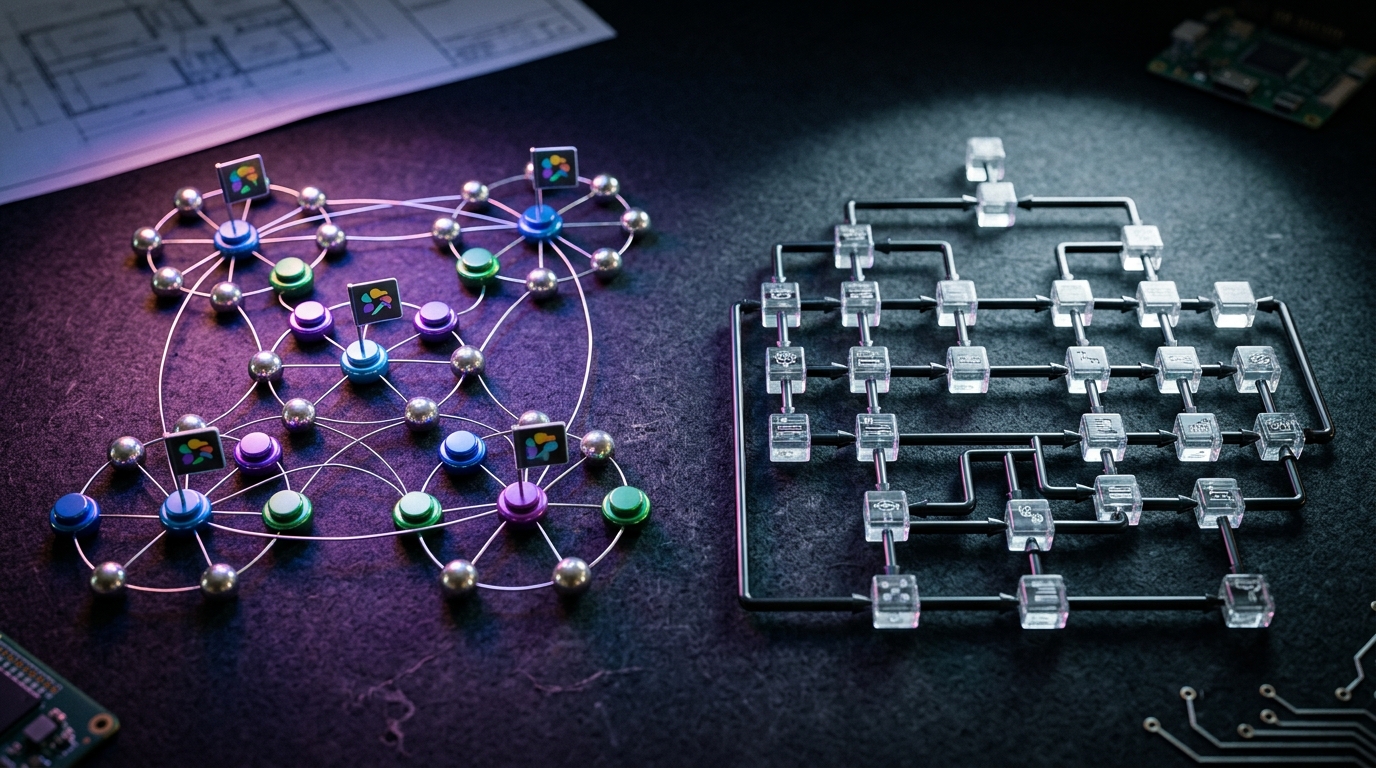
In 2026, building production-grade AI agents is no longer about writing clever system prompts or wrapping basic API calls. It is an engineering discipline focused on managing complex state, handling asynchronous execution, and ensuring deterministic execution paths. If you are architecting a system that coordinates multiple specialized models, your choice likely boils down to a high-stakes comparison: autogen vs langgraph.
While early iterations of these tools were treated as experimental prototyping libraries, the release of autogen 0.4 and the maturity of LangGraph’s stateful graph orchestration have drawn clear architectural battle lines. Today, developers must choose between AutoGen’s event-driven, conversational actor model and LangGraph’s deterministic, state-centric directed graphs. Choosing the wrong foundation can lead to infinite agent loops, massive token bills, or unmaintainable spaghetti code.
This comprehensive guide provides an exhaustive, code-first comparison of microsoft autogen vs langgraph to help you determine the best multi agent framework 2026 has to offer for your specific production stack.
The State of Multi-Agent AI in 2026: Why Abstractions are Cracking
To understand the current state of autogen vs langgraph, we must first look at how agentic architectures have evolved. In the early days of generative AI, agents were thin wrappers that chained LLM queries together. Today, we build systems powered by frontier models like DeepSeek R1, Claude 3.7, and GPT-4.5. These models possess native reasoning capabilities, meaning our frameworks no longer need to teach the model how to think; instead, they must manage where and when the model acts.
Traditional Orchestration: [User Prompt] ──> [LLM Chain] ──> [Tool Call] ──> [Output]
Modern Agentic Harness: ┌─────────────────── State Loop ───────────────────┐ ▼ │ [User Input] ──> [Router] ──> [Agent A] ──> [Agent B] ─┘
In production, general workflow builders often break down when confronted with unpredictable enterprise requests. If a user asks an agent to check a client's billing status, a static workflow might fail because it cannot dynamically choose whether to query Salesforce, HubSpot, Stripe, or an internal SQL database. This "context selection problem" is why developers are moving away from rigid, linear pipelines toward flexible, multi-agent frameworks.
However, as developers on Reddit and Discord frequently point out, heavy frameworks can introduce abstraction leaks. If your framework hides raw API calls behind layers of proprietary classes, debugging an edge-case failure on step 8 of a 10-step reasoning chain becomes a nightmare. The industry is currently split into two camps: 1. Conversational Actor Models (AutoGen): Where agents are autonomous entities that communicate via message passing. 2. Stateful Directed Graphs (LangGraph): Where agents are execution nodes that read from and write to a centralized, validated state machine.
Let’s analyze how each framework handles these patterns.
Microsoft AutoGen: Enterprise-Grade Conversational Orchestration
Originally developed by Microsoft Research, AutoGen pioneered the concept of multi-agent collaboration through structured conversations. Instead of defining a rigid sequence of actions, you instantiate specialized agents—such as an AssistantAgent for generating code and a UserProxyAgent for executing it—and let them collaborate to solve a problem.
         ┌───────────────────┐
         │  UserProxyAgent   │
         └─────────┬─────────┘
                   │ (Message Passing)
                   ▼
         ┌───────────────────┐
         │  AssistantAgent   │
         └─────────┬─────────┘
                   │ (Tool Execution)
                   ▼
         ┌───────────────────┐
         │   Coding Engine   │
         └───────────────────┘
The AutoGen 0.4 Paradigm Shift
With the release of autogen 0.4, Microsoft completely rearchitected the framework's core. The original version was criticized for being too abstract, difficult to debug, and prone to endless conversational loops that quickly consumed API credits.
AutoGen 0.4 addressed these pain points by adopting a highly scalable, asynchronous actor-model architecture. Key enhancements in this release include: * Event-Driven Messaging: Agents now communicate via asynchronous, event-driven message queues, allowing them to handle complex, non-blocking interactions. * Pluggable Memory Systems: Improved session persistence and long-term memory management across distributed runtimes. * Strict Conversation Topologies: Developers can now enforce explicit communication paths, such as group chats with a central manager, sequential handoffs, or nested sub-conversations. * Enterprise Security and Sandboxing: Native integration with secure execution environments like Docker and Kubernetes, ensuring that agents running generated code cannot compromise host systems.
Core Conversation Patterns
AutoGen’s power lies in its flexible communication topologies, which easily map to complex business workflows: * Two-Agent Chat: A direct back-and-forth between a user proxy and an assistant agent. * Group Chat: Multiple specialized agents (e.g., Researcher, Writer, Editor) collaborating under the guidance of a coordinator agent. * Nested Conversations: An agent can pause its current conversation to spawn a sub-team of agents to resolve a specific sub-task before returning the result.
This makes AutoGen highly effective for collaborative tasks like automated software engineering, multi-source research synthesis, and interactive business simulations.
LangGraph: Stateful Directed Graphs and Deterministic Control
Built by the creators of LangChain, LangGraph takes a fundamentally different approach to multi-agent design. Rather than modeling agents as conversational partners, LangGraph models them as nodes within a directed graph. The edges of the graph define the transitions between nodes, including conditional routing based on the output of previous steps.
         ┌───────────────┐
         │  Start Node   │
         └───────┬───────┘
                 │
                 ▼
         ┌───────────────┐
         │  Agent Node   │◄──────────────┐
         └───────┬───────┘               │ (Loop/Retry)
                 │                       │
                 ▼                       │
        [Conditional Edge] ──────────────┘
         (Is Task Complete?)
                 │ (Yes)
                 ▼
         ┌───────────────┐
         │   End Node    │
         └────────────────┘
State Management as a First-Class Citizen
In LangGraph, state is not an afterthought; it is the core of the entire application. Every node in the graph reads from and writes to a centralized, shared state schema (typically defined using Pydantic). This architecture offers several key advantages for production deployments: * Deterministic Execution: You define the exact paths your agent can take. There are no emergent, unpredictable conversational loops; every transition is explicitly mapped in code. * Built-In Checkpointing: LangGraph automatically saves the state of your graph at every step. This enables robust error recovery—if node 5 fails, you can resume execution from node 4 without restarting the entire workflow. * Time Travel: Developers can inspect, modify, and replay historical states. This is invaluable for debugging complex reasoning chains. * Human-in-the-Loop: You can pause the graph before executing sensitive operations (like sending an email or running a database write), wait for human approval, and resume execution with the approved state.
LangChain Ecosystem Interoperability
Because LangGraph is part of the LangChain family, it seamlessly integrates with LangChain’s extensive ecosystem of tools, document loaders, vector stores, and model providers. It also pairs naturally with LangSmith for enterprise-grade tracing, monitoring, and evaluation.
AutoGen vs LangGraph: Feature-by-Feature Comparison
To help you choose the right tool for your engineering stack, let's compare the core capabilities of autogen vs langgraph in a direct, feature-by-feature breakdown.
| Feature | Microsoft AutoGen (v0.4+) | LangGraph |
|---|---|---|
| Core Philosophy | Event-driven, conversational actor model | Stateful directed graphs (nodes & edges) |
| State Management | Distributed, message-based state | Centralized, shared state schema (Pydantic) |
| Determinism | Dynamic, conversational; can be unpredictable | Highly deterministic; explicit execution paths |
| Error Recovery | Session-level retries | Node-level checkpointing & state replay |
| Human-in-the-Loop | Supported via User Proxy interaction | Native state pausing, editing, & resuming |
| Learning Curve | Moderate (intuitive role-playing metaphor) | High (requires graph-based thinking) |
| Language Support | Python, .NET | Python, JavaScript/TypeScript |
| Best For | Multi-agent collaboration, creative drafting | Complex workflows, strict business logic |
Architectural Deep Dive: State vs. Communication
When evaluating autogen 0.4 vs langgraph, the decision often comes down to how you want to manage state.
In AutoGen, state is distributed across individual agents. Each agent maintains its own history and context, and they share information by passing structured messages. This makes AutoGen highly scalable and excellent for modeling open-ended collaboration, but it can make tracking the global state of a complex transaction difficult.
In LangGraph, the global state is centralized. Agents are simply stateless execution steps (nodes) that modify a single, shared state object. This provides complete control over data mutation and ensures that your system remains predictable, even when handling complex branching logic or deep reasoning loops.
The Contenders: CrewAI vs AutoGen and the No-Code Alternatives
While AutoGen and LangGraph are the heavy hitters for custom development, they are not the only options in the 2026 agentic ecosystem. Depending on your team's engineering resources and timeline, other platforms may be worth considering.
CrewAI vs AutoGen: Role-Playing Metaphors
When comparing crewai vs autogen, the primary difference lies in abstraction and ease of use.
CrewAI is built on a highly intuitive "role-playing" metaphor. You define a "crew" of agents, each with a specific role, goal, and backstory (e.g., a "Senior Market Researcher" and a "Financial Analyst"). CrewAI excels at content creation, marketing workflows, and rapid prototyping because you can stand up a collaborative multi-agent system in minutes.
However, compared to AutoGen, CrewAI offers less granular control over agent internals and can occasionally struggle with agents getting stuck in infinite loops if system prompts are not carefully tuned. For complex, mission-critical enterprise applications, AutoGen’s robust actor model and event-driven architecture are generally more reliable.
CrewAI: [Role/Backstory] ──> [Task Assignment] ──> [Sequential Execution] AutoGen: [Asynchronous Actors] <── Message Passing ──> [Dynamic Collaboration]
The Rise of No-Code and Visual Orchestrator Platforms
For teams that want to build agents without writing low-level Python scripts, several powerful alternatives have emerged in 2026: * n8n: A visual workflow automation platform that features native AI agent nodes. It is ideal for connecting existing business tools (Slack, Salesforce, Jira) using a drag-and-drop interface, while supporting self-hosting for data privacy. * Twin.so: A rapidly growing no-code platform specialized in browser-based automation. It uses visual agents to navigate legacy portals, internal tools, and websites that lack public APIs, performing tasks like a human operator. * OpenClaw: A highly popular open-source project (exceeding 280,000 GitHub stars) designed for local-first autonomous agents. It uses existing messaging platforms like WhatsApp and Telegram as its user interface, backed by a massive ecosystem of community-built plugins (ClawHub). * SimplAI: Positioned as an "agentic AI OS" for enterprise deployments. It offers built-in multi-agent orchestration, over 300 pre-built connectors, and enterprise-grade security compliance (SOC 2, ISO 27001), making it a strong choice for regulated industries like finance and healthcare.
Code Battle: Implementing an Agentic Workflow in Python
To truly evaluate the developer experience, let’s look at how to implement a practical agentic workflow python script in both frameworks. We will build a simple two-step workflow: a Research Agent gathers web data, and a Writer Agent drafts a concise report.
Implementation 1: LangGraph (Stateful Graph)
In LangGraph, we define a centralized state, register our nodes, and link them using explicit edges.
python from typing import TypedDict, Annotated, Sequence from langgraph.graph import StateGraph, END from langchain_core.messages import BaseMessage, HumanMessage, AIMessage from langchain_openai import ChatOpenAI
1. Define the shared state
class AgentState(TypedDict): messages: Annotated[Sequence[BaseMessage], list] research_data: str final_draft: str
Initialize the LLM
llm = ChatOpenAI(model="gpt-4o", temperature=0.5)
2. Define the execution nodes
def researcher_node(state: AgentState): last_message = state['messages'][-1].content # Simulate web research tool call research_result = f"Detailed research data on: '{last_message}' (Source: Web Search 2026)" return { "messages": [AIMessage(content="Research completed.")], "research_data": research_result }
def writer_node(state: AgentState): research = state['research_data'] prompt = f"Write a concise executive summary based on this research: {research}" response = llm.invoke([HumanMessage(content=prompt)]) return { "messages": [AIMessage(content="Draft completed.")], "final_draft": response.content }
3. Build the directed graph
workflow = StateGraph(AgentState)
workflow.add_node("Researcher", researcher_node) workflow.add_node("Writer", writer_node)
Define the execution flow
workflow.set_entry_point("Researcher") workflow.add_edge("Researcher", "Writer") workflow.add_edge("Writer", END)
Compile the graph
app = workflow.compile()
Execute the workflow
initial_state = {"messages": [HumanMessage(content="AI Agent trends in 2026")]} result = app.invoke(initial_state) print(result["final_draft"])
Implementation 2: AutoGen 0.4 (Conversational Actors)
In AutoGen 0.4, we instantiate asynchronous agents and define their communication topology.
python import asyncio from autogen_agentchat.agents import AssistantAgent from autogen_agentchat.teams import RoundRobinGroupChat from autogen_core.models import SystemMessage from autogen_ext.models.openai import OpenAIChatCompletionClient
async def main(): # Initialize the model client model_client = OpenAIChatCompletionClient(model="gpt-4o")
# 1. Create the specialized agents
researcher = AssistantAgent(
    name="Researcher",
    model_client=model_client,
    system_message="You are an expert researcher. Gather key facts and data on the requested topic and output them clearly."
)

writer = AssistantAgent(
    name="Writer",
    model_client=model_client,
    system_message="You are an elite tech writer. Take the research data provided by the Researcher and write a concise executive summary."
)

# 2. Define the conversation team
team = RoundRobinGroupChat(
    agents=[researcher, writer],
    max_turns=2
)

# 3. Run the conversational workflow
stream = team.run_stream(task="Research and summarize AI Agent trends in 2026")
async for message in stream:
    if message.source == "Writer":
        print(f"[{message.source}]: {message.content}
")
if name == "main": asyncio.run(main())
Developer Experience (DX) Analysis
- LangGraph's DX: The graph-based setup requires more boilerplate code up front. You must explicitly define your state schemas, nodes, and routing edges. However, this structure provides absolute clarity on how data flows through your system, making it easy to debug and maintain as your application grows.
- AutoGen's DX: The conversational model is incredibly clean and intuitive. You define your agents, group them into a team, and let them collaborate. However, managing the exact state transitions and preventing agents from exchanging redundant messages requires careful configuration of your conversation rules and system prompts.
Production Realities: Observability, Memory, and Security Guardrails
Moving an agentic system from a local prototype to a production environment introduces several critical infrastructure challenges.
Observability and Tracing
When an agent fails in production, you cannot simply look at the final output; you need to understand the exact sequence of events that led to the failure. * LangGraph integrates natively with LangSmith, which provides deep, visual tracing of graph execution. You can inspect every node transition, tool call, and state mutation in real time. * AutoGen developers often rely on custom logging or third-party tools like Lightrace (a local-first tracing server) or Galileo AI to monitor tool selection quality and conversational flow.
[User Input] ──> [Node: Researcher] (State: OK) ──> [Node: Writer] (State: FAIL) │ │ └──> View Trace in LangSmith <───────┘
Persistent Memory and State
An agent that forgets past interactions is of limited use in enterprise settings. * LangGraph offers robust, built-in checkpointing databases (like SQLite or PostgreSQL) that automatically persist state across user sessions. This allows you to implement complex "human-in-the-loop" approval gates, where an agent can pause execution, wait days for human feedback, and resume exactly where it left off. * AutoGen 0.4 features improved session state management, but developers building complex, long-running applications often use external durable execution layers like Calljmp or xpander.ai to manage distributed state and retries.
Security and Execution Guardrails
Giving autonomous agents access to external tools and code execution capabilities introduces significant security risks. * When building with AutoGen, running agents within isolated sandboxes (such as Docker containers or secure environments like funky.dev) is highly recommended to prevent generated code from accessing host systems. * For both frameworks, implementing strict input/output validation using libraries like Pydantic-AI or custom guardrail layers is essential to prevent prompt injection attacks and ensure consistent tool execution.
How to Choose the Best Multi-Agent Framework in 2026
Selecting the best multi agent framework 2026 for your project depends on your team's engineering resources, integration requirements, and the complexity of your workflows.
                       What is your primary goal?
                                   │
        ┌──────────────────────────┴──────────────────────────┐
        ▼                                                     ▼
Strict, Deterministic Workflows Open-Ended Collaboration (e.g., Financial Auditing) (e.g., Creative Brainstorming) │ │ ▼ ▼ [ Choose LangGraph ] [ Choose AutoGen ]
Choose LangGraph if:
- You require absolute control: Your application follows strict business logic, explicit branching paths, or sequential approval gates.
- State persistence is critical: You need built-in checkpointing, error recovery, and "time-travel" debugging capabilities.
- You are already in the LangChain ecosystem: You want to leverage LangChain's extensive library of tools, vector integrations, and LangSmith observability.
- You need TypeScript support: Your team is native to JavaScript/TypeScript (LangGraph offers first-class JS/TS support, whereas AutoGen is heavily Python-centric).
Choose AutoGen if:
- You need open-ended multi-agent collaboration: Your use case involves specialized agents collaborating dynamically to solve complex, unstructured problems.
- You want an intuitive role-playing paradigm: You prefer modeling workflows as conversational interactions between distinct personas.
- You are building on the Microsoft/Azure ecosystem: You need native integration with Azure AI services, enterprise security, and distributed actor-model scalability.
- You want rapid prototyping: You want to stand up collaborative multi-agent teams quickly with minimal boilerplate code.
Key Takeaways
- Architectural Divide: The comparison of autogen vs langgraph represents a fundamental architectural choice between AutoGen’s conversational actor model and LangGraph’s stateful directed graphs.
- State is King: LangGraph’s centralized state management, built-in checkpointing, and time-travel debugging make it highly reliable for deterministic, production-grade enterprise workflows.
- AutoGen 0.4 Evolution: The rearchitected AutoGen 0.4 core features event-driven asynchronous messaging and robust conversation topologies, making it highly scalable for distributed agent environments.
- Role-Playing Simplicity: CrewAI offers a highly accessible, role-based metaphor that is excellent for content pipelines and rapid prototyping, but it lacks the granular state control of LangGraph and the architectural robustness of AutoGen.
- Production Readiness: Moving agents to production requires a strong focus on observability (e.g., LangSmith, Lightrace), persistent memory, and secure sandboxed execution environments.
Frequently Asked Questions
Is LangGraph harder to learn than AutoGen?
Yes. LangGraph has a steeper learning curve because it requires you to model your workflows as directed graphs (nodes, edges, and conditional routers) and manage a centralized state schema. AutoGen’s conversational metaphor is typically more intuitive for developers new to agentic design.
Can I use AutoGen and LangGraph together?
While technically possible, it is rarely practical. Both frameworks are designed to manage the core orchestration layer of your application. Combining them introduces unnecessary architectural complexity and makes debugging state transitions exceptionally difficult. It is best to choose one framework as your primary orchestrator.
Does LangGraph support JavaScript/TypeScript?
Yes. Unlike AutoGen, which is heavily Python-centric, LangGraph offers first-class support for both Python and JavaScript/TypeScript, making it an excellent choice for Node.js and modern full-stack development teams.
How does AutoGen 0.4 handle agent loops and high token costs?
AutoGen 0.4 addresses these issues by introducing strict conversation topologies (such as sequential handoffs and nested chats) and limiting maximum conversational turns. This prevents agents from entering infinite, redundant communication loops that quickly consume API credits.
Do I actually need a framework to build AI agents?
Not always. For simple, single-agent applications that call a few basic tools, using raw model SDKs (like OpenAI or Anthropic SDKs) directly is often simpler and easier to debug. You should adopt a framework like LangGraph or AutoGen when your application requires complex state persistence, multi-agent collaboration, or intricate branching logic.
Conclusion
In 2026, the debate between autogen vs langgraph is not about finding a single "winner." Instead, it is about matching the right architectural pattern to your specific business requirements.
If you are building highly deterministic, state-sensitive enterprise systems that require complete control, robust error recovery, and detailed execution tracing, LangGraph remains the industry gold standard. However, if your goal is to build highly scalable, collaborative multi-agent systems that solve complex, open-ended problems through dynamic conversation, Microsoft AutoGen (v0.4+) offers an unmatched, event-driven foundation.
Before writing your first line of code, map out your workflow, identify where your state lives, and choose the framework that gets your specific job done with the least friction. For more insights into developer productivity and modern software engineering, explore our latest guides on SEO tools and advanced AI writing architectures.