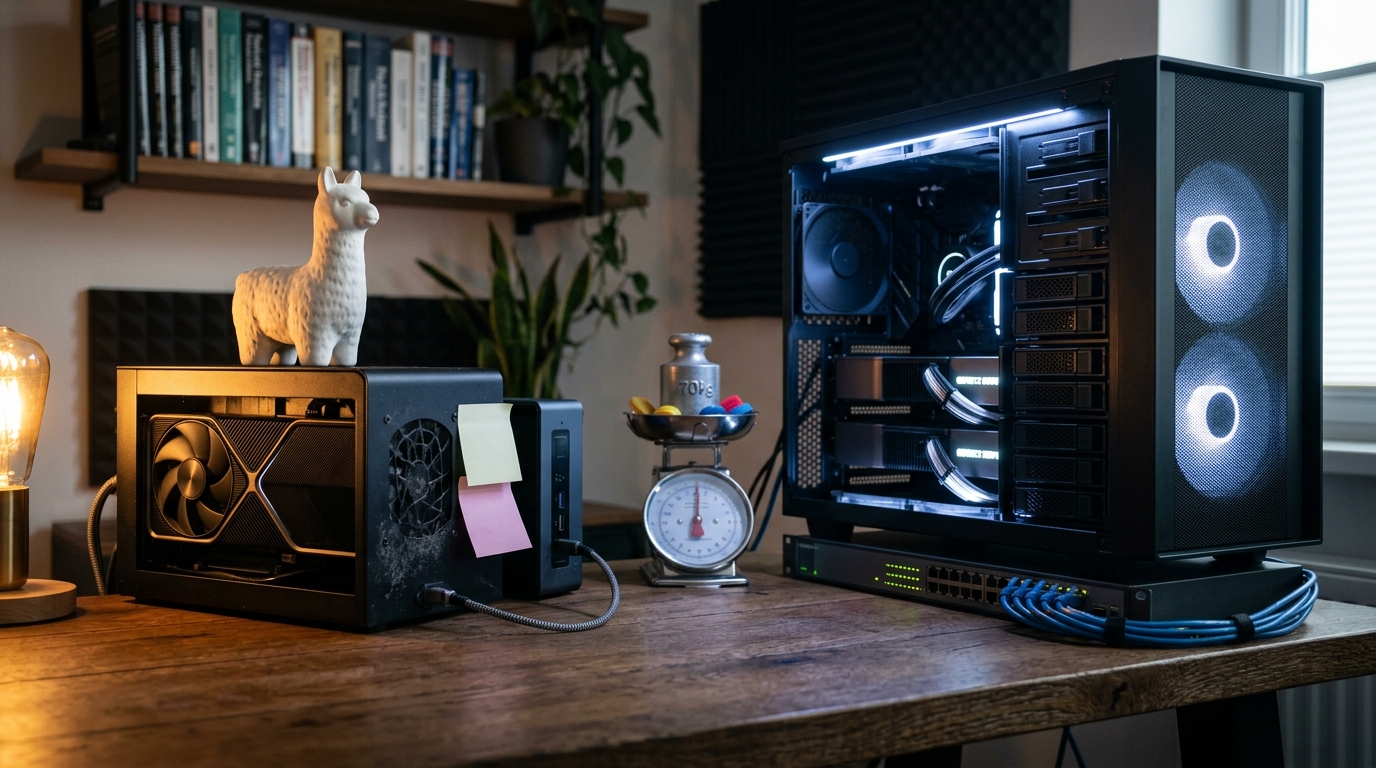
In 2026, running a 70B parameter model locally is no longer a luxury reserved for enterprise research labs—it has become a standard developer workflow. As open-weight models like Gemma 4, GLM-5, and Qwen 3.6 achieve parity with proprietary cloud APIs, the bottleneck has shifted from model capability to execution efficiency. When architecting your local AI stack, the foundational decision comes down to Ollama vs vLLM: which is the best local LLM inference engine for your specific hardware, concurrency needs, and deployment environment?
While both frameworks allow you to run powerful models on local silicon, they are engineered for diametrically opposed use cases. Choosing the wrong runtime can result in severe performance penalties, ranging from massive VRAM waste to latency spikes that make interactive agents unusable. This guide provides an exhaustive, benchmark-backed comparative analysis of Ollama and vLLM to help you make an informed decision for your 2026 infrastructure.
Architectural Philosophy: Simplicity vs. Production Scale
To understand the performance differences between Ollama and vLLM, we must first look at their core architectural philosophies. They are built on entirely different software foundations and optimized for different operational scales.
Ollama: The Developer's Friendly Local Runtime
Ollama is designed to abstract away the complexity of local model management. Written in Go and acting as an orchestrator around the foundational llama.cpp C/C++ inference engine, Ollama treats LLMs like Docker containers. It bundles model weights, system prompts, configuration parameters, and templates into a single, easily distributable format managed via a simple Command Line Interface (CLI).
Ollama prioritizes ease of use, local privacy, and immediate productivity on consumer hardware (such as Apple Silicon Macs and single-GPU Windows/Linux desktops). Its API is fully compatible with OpenAI and Anthropic SDKs, allowing developers to drop it in as a local backend with zero code modifications.
vLLM: The High-Throughput Production Engine
vLLM is an enterprise-grade, high-performance serving engine designed specifically for graphics processing unit (GPU) clusters. Developed as an open-source project (Apache 2.0) by researchers at UC Berkeley, vLLM focuses on maximizing local LLM serving throughput and minimizing hardware idle time.
Instead of abstracting the underlying hardware, vLLM exposes granular control over GPU memory, kernel execution, and distributed tensor parallelism. It is built from the ground up to serve multiple concurrent users and power high-frequency agentic loops where thousands of tokens must be processed and generated simultaneously.
Key Difference: Ollama is designed to bring models to the developer's local machine with zero configuration. vLLM is designed to scale those models to handle enterprise-grade production traffic on dedicated GPU infrastructure.
vLLM vs Ollama Benchmarks: Throughput, Latency, and PagedAttention
When evaluating vLLM vs Ollama benchmarks, the performance delta is staggering, particularly under concurrent workloads. This difference is driven primarily by how each engine manages the Key-Value (KV) cache in VRAM.
The Concurrency Cliff and PagedAttention
During LLM generation, the system stores the attention keys and values for all historical tokens in memory—a structure known as the KV cache. In traditional execution engines like llama.cpp (which powers Ollama), this cache is allocated contiguously in virtual memory. This leads to severe memory fragmentation, over-allocation, and a hard limit on the number of concurrent requests a single GPU can process.
vLLM solves this memory bottleneck using PagedAttention, an algorithm inspired by virtual memory paging in operating systems. PagedAttention divides the KV cache into non-contiguous physical memory blocks. This allows vLLM to utilize virtually 96% of available GPU memory for active generation, eliminating fragmentation and enabling continuous batching of incoming requests.
Traditional KV Cache Allocation (Contiguous, Fragmented): [--- Request 1 ---][ Unused Space ][----- Request 2 -----][ Unused Space ]
PagedAttention Cache Allocation (Paged, Non-Contiguous): [Block A (Req 1)][Block B (Req 2)][Block C (Req 1)][Block D (Req 2)][Block E (Req 1)]
Benchmark Data: Throughput and Latency
In standardized performance tests conducted on enterprise hardware (such as an NVIDIA A100-PCIE-40GB), the impact of PagedAttention and continuous batching becomes clear:
| Metric | Ollama (llama.cpp backend) | vLLM (Marlin Kernels / AWQ) | Performance Delta |
|---|---|---|---|
| Peak Throughput (256 Users) | 41 tokens/second | 793 tokens/second | 19.34x Gain (vLLM) |
| P99 Time to First Token (TTFT) | 673 ms | 80 ms | 8.41x Latency Reduction |
| Memory Efficiency | High fragmentation | ~96% active utilization | Zero Waste |
For a single-user interactive session, the difference is more nuanced. Community testing on consumer cards like the RTX 4090 and RTX 5090 shows that llama.cpp (and by extension, Ollama) can sometimes deliver slightly faster token generation (decoding) for a single prompt because of highly optimized CPU/GPU split-kernels. However, the moment an application launches parallel queries—such as a multi-agent coding framework or concurrent user requests—Ollama hits a performance bottleneck, while vLLM scales linearly.
The Memory Bottleneck: Quantization Formats and Hardware Fit
In local LLM inference, memory bandwidth is the primary bottleneck, not compute. To run models efficiently, we must compress their weights using quantization to fit entirely within high-speed VRAM.
Quantization Formats: GGUF vs. AWQ/GPTQ/FP8
The choice of inference engine dictates the quantization formats available to you:
- GGUF (Universal/Ollama): Designed by the
llama.cppteam, GGUF is a single-file format optimized for CPU, GPU, and unified memory architectures. It supports highly granular mixed-precision "K-quants" (e.g., Q4_K_M, IQ4_XS), allowing you to run models on memory-constrained setups (such as a 16GB GPU or a 24GB Mac Mini). - AWQ & GPTQ (GPU-Optimized/vLLM): These formats are designed exclusively for NVIDIA and AMD GPUs. Activation-aware Weight Quantization (AWQ) protects the most critical 1% of weights from quantization error, delivering superior reasoning quality at 4-bit precision. Coupled with vLLM’s Marlin kernels, AWQ achieves maximum throughput on GPU hardware.
- FP8 (Precision-Optimized/vLLM): Native 8-bit floating-point precision supported on modern architectures (NVIDIA Ada Lovelace/Blackwell). It offers near-lossless FP16 reasoning quality with a 50% reduction in memory footprint.
Hardware Sweet Spots in 2026
To achieve acceptable performance, your chosen model and its quantization level must fit entirely within your GPU's VRAM. Spilling over into system RAM (CPU offloading) causes a severe drop in performance.
[VRAM Fit (RTX 5090)] ==========> 100+ tokens/sec (Pure GPU execution) [CPU Spillover (RAM)] ====> 1-2 tokens/sec (Performance cliff)
Consider these real-world hardware sweet spots for local execution:
- 16GB VRAM (RTX 5080 / RTX 5060 Ti): The sweet spot is Qwen 3.6 35B-A3B in IQ2_M quantization. Because it is a Mixture-of-Experts (MoE) model that only activates 3B parameters per token, it fits comfortably within 11.5 GB of VRAM, delivering 100–130 tokens/second while leaving room for a 180k context window.
- 24GB VRAM (RTX 3090 / RTX 4090): Run Qwen 3.5 27B at Q4_K_M or Gemma 4 26B-A4B at Q3_K_XL. This setup handles complex coding tasks and agentic workflows at 45–50 tokens/second.
- 48GB Unified Memory (Mac Mini M4 Pro): The ultimate budget setup for large models. Run a 70B parameter model (such as Llama 3.3 70B) at Q4_K_M quantization for ~$1,999, achieving highly capable local reasoning without expensive GPU clusters.
Developer Experience: Model Swapping and Ecosystem Integration
While vLLM dominates raw performance benchmarks, Ollama excels in developer experience and local flexibility.
The Model Swapping Dilemma
In a local development environment, you often need to switch between different models depending on the task—for example, using a reasoning model like DeepSeek-R1 for complex logic, a dense coder model for code generation, and a small embedding model for local retrieval-augmented generation (RAG).
- Ollama’s Dynamic Loading: Ollama handles model swapping natively and seamlessly. When you request a model via the API, Ollama automatically offloads the inactive model from VRAM, loads the new model, and executes the prompt. If a model is idle for a set period (defaulting to 5 minutes), it is automatically purged to free up system memory.
- vLLM’s Static Allocation: vLLM is designed to hold a model persistently in VRAM to guarantee low latency for incoming API requests. Swapping models in vLLM requires stopping the container, modifying the startup script, and reallocating GPU memory—a slow process that is highly disruptive for single-user workflows.
Alternative: The Middle Ground with llama-swap
For developers who want the hot-swapping flexibility of Ollama but need the advanced configuration options of llama.cpp, tools like llama-swap or koboldswap have emerged as excellent alternatives. These tools act as routing proxies that manage multiple background instances of llama-server or vllm, spin-loading models on demand based on incoming API calls.
Ollama Deployment Guide: Rapid Prototyping on Consumer Hardware
Ollama's primary value proposition is its "one-command" deployment model. Here is how to set up Ollama, configure a custom system prompt, and integrate it with your local development environment.
Step 1: Installation
On Linux or macOS, run the automated installation script:
bash curl -fsSL https://ollama.com/install.sh | sh
For Windows users, download the native installer from the official website or run the installation inside Windows Subsystem for Linux (WSL2).
Step 2: Running a Model
Launch an interactive chat session with a model from the official registry:
bash ollama run gemma4:e4b
This command automatically pulls the model weights, loads them into your GPU (or system RAM if VRAM is insufficient), and opens an interactive CLI chat interface.
Step 3: Customizing Models with a Modelfile
To configure custom system prompts, temperature settings, or context lengths, you can create a Modelfile:
dockerfile
Modelfile for local code reviewer agent
FROM qwen3-coder:14b
Set context window to 32k tokens
PARAMETER num_ctx 32768 PARAMETER temperature 0.2
Define system instructions
SYSTEM """ You are an elite, security-focused code reviewer. Analyze the provided code for memory leaks, race conditions, and SQL injection vulnerabilities. Return your feedback in a clean Markdown format. """
Build and run your custom model:
bash ollama create secure-coder -f ./Modelfile ollama run secure-coder
vLLM Deployment Guide 2026: Scaling Production Infrastructure
For production environments, deploying vLLM via Docker is the industry standard. This vLLM deployment guide 2026 walks you through launching a high-throughput, OpenAI-compatible API endpoint on a dedicated GPU server.
Step 1: Run vLLM with Docker
Use the official, pre-compiled Docker image optimized for CUDA execution. This command configures vLLM to serve Llama 3.3 8B with optimized memory allocation:
bash docker run -d --gpus all \ --network=host \ -v ~/.cache/huggingface:/root/.cache/huggingface \ vllm/vllm-openai:latest \ --model meta-llama/Llama-3.1-8B-Instruct \ --gpu-memory-utilization 0.90 \ --max-model-len 32768 \ --port 8000
Parameter Breakdown:
--gpus all: Grants the container access to all host GPUs.--gpu-memory-utilization 0.90: Allocates 90% of available VRAM to vLLM, leaving 10% for system overhead and dynamic allocations.--max-model-len 32768: Restricts the maximum context length to prevent the KV cache from exhausting VRAM under heavy concurrent loads.
Step 2: OpenAI-Compatible SDK Integration
Once running, vLLM exposes an API that is a drop-in replacement for OpenAI's endpoint. Connect your applications using the standard Python SDK:
python from openai import OpenAI
Point the client to your local vLLM server
client = OpenAI( base_url="http://localhost:8000/v1", api_key="local-token-not-required" )
response = client.chat.completions.create( model="meta-llama/Llama-3.1-8B-Instruct", messages=[ {"role": "system", "content": "You are a helpful assistant."}, {"role": "user", "content": "Explain PagedAttention in simple terms."} ], temperature=0.7, max_tokens=512 )
print(response.choices[0].message.content)
How to Run DeepSeek-R1 in Production: Engine Selection and Memory Tuning
DeepSeek-R1 is one of the most powerful reasoning models available in 2026, but its 671B parameter Mixture-of-Experts (MoE) architecture presents a massive deployment challenge. To run DeepSeek-R1 in production, you must choose between two primary scaling strategies.
[DeepSeek-R1 (671B)] | +--> Enterprise GPU Cluster (vLLM Tensor Parallelism: 8x H100 / RTX 5090) | +--> Consumer Mac Cluster (ExoLabs Peer-to-Peer: 8x Mac Mini M4 Pro)
Strategy A: Enterprise GPU Scaling with vLLM
To serve DeepSeek-R1 to multiple users with low latency, you must use vLLM's distributed tensor parallelism. This splits the model weights across multiple GPUs connected via high-speed NVLink.
To load the FP8 quantized version of DeepSeek-R1 (~720GB VRAM required), you need an 8x H100 or 8x RTX 5090 node. Run the following deployment script:
bash python3 -m vllm.entrypoints.openai.api_server \ --model deepseek-ai/DeepSeek-R1 \ --tensor-parallel-size 8 \ --quantization fp8 \ --trust-remote-code \ --gpu-memory-utilization 0.95 \ --max-model-len 65536
vLLM's tensor parallelism executes the model's dense attention layers across all 8 GPUs simultaneously, while its dynamic routing handles the 256 MoE experts with minimal inter-GPU communication latency.
Strategy B: Consumer Clustering with ExoLabs
If you are running a homelab or small team environment, buying an 8-GPU node is economically unfeasible. Instead, you can use ExoLabs (Exo), a decentralized inference framework that splits models across consumer devices connected peer-to-peer.
Exo allows you to pool the unified memory of multiple Apple Silicon Macs (e.g., 8x Mac Mini M4 Pro 48GB) to create an ad-hoc 384GB memory cluster. Exo automatically partitions the DeepSeek-R1 MoE weights across the network. Because only 37B parameters are active per token, the inter-device network bandwidth bottleneck is significantly minimized, delivering a highly usable ~5 tokens/second for a fraction of the cost of enterprise GPUs.
Comparative Feature Matrix: Ollama vs. vLLM vs. llama.cpp
This matrix compares the three leading local inference runtimes to help you choose the right tool for your specific setup:
| Feature | Ollama | vLLM | llama.cpp (Raw) |
|---|---|---|---|
| Primary License | MIT | Apache 2.0 | MIT |
| Target User | Individual Developers | DevOps / Enterprise | Power Users / Embedded |
| Primary Formats | GGUF | Safetensors, AWQ, GPTQ, FP8 | GGUF |
| Memory Management | Dynamic load/unload | Static VRAM allocation | Manual layer offloading |
| Concurrency Tech | Basic queueing | PagedAttention, Continuous Batching | Parallel slot allocation |
| Multi-GPU Support | Basic (layer split) | Tensor Parallelism (Ray) | Basic (tensor split) |
| Platform Reach | macOS, Windows, Linux | Linux (CUDA/ROCm) | macOS, Win, Linux, Mobile |
| Ease of Setup | Extremely Easy (1-click) | Complex (Docker/Python) | Moderate (Compiling CLI) |
Key Takeaways
- Ollama is the developer default for local prototyping, single-user desktop chat, and quick integration with local developer tools via its OpenAI-compatible API.
- vLLM is the absolute performance king for high-concurrency enterprise deployments, multi-user SaaS backends, and high-frequency agentic workflows, delivering up to 19x higher throughput than Ollama under heavy concurrent loads.
- PagedAttention is the core technology that enables vLLM to eliminate VRAM fragmentation and dynamically batch requests, making it the industry standard for production serving.
- Hardware dictates your software choice. If you are using consumer hardware with limited VRAM (e.g., 16GB–24GB), Ollama’s GGUF support offers the flexibility needed to fit models onto your system. If you have dedicated enterprise GPUs, vLLM’s AWQ and FP8 support maximizes your hardware investment.
- For large MoE models like DeepSeek-R1, use vLLM’s tensor parallelism across multiple GPUs for enterprise-scale latency, or ExoLabs peer-to-peer clustering across Apple Silicon Macs for cost-effective homelabs.
Frequently Asked Questions
Is Ollama faster than vLLM for a single user?
For a single user running a single query, Ollama (using raw llama.cpp kernels) can sometimes deliver comparable or slightly higher token-by-token generation (decoding) speeds than vLLM. However, vLLM has significantly faster prompt processing (prefill) speeds, and it vastly outperforms Ollama the moment parallel queries or multi-step agent loops are introduced.
Can I run vLLM on my Mac or Windows laptop?
While vLLM can be run on Windows via WSL2, it is heavily optimized for Linux environments and requires dedicated NVIDIA or AMD GPUs to leverage its custom CUDA kernels. For macOS and Windows laptops without discrete GPUs, Ollama or LM Studio are much better suited, as they run natively on Apple Silicon and Intel/AMD integrated graphics.
Why does vLLM take so long to swap models?
vLLM is designed as a persistent production server. It pre-allocates and locks the GPU's VRAM to optimize the PagedAttention memory pool. Swapping a model requires completely tearing down this memory structure, releasing the VRAM, loading new weights, and rebuilding the cache pool, which is a slow and resource-intensive operation.
What is the best quantization sweet spot for local inference?
For most users, Q4_K_M (4-bit quantization) is the ideal sweet spot. It provides a ~75% reduction in model size compared to native FP16 while retaining roughly 92% of the model's original reasoning quality. If you have sufficient VRAM, upgrading to Q5_K_M or FP8 offers near-lossless performance.
Conclusion
Selecting the best local LLM inference engine in 2026 is not about finding the universally superior tool, but rather about aligning your runtime engine with your operational scale and hardware constraints.
If your goal is rapid prototyping, private document chat, or building local developer workflows on your laptop, Ollama offers an unmatched developer experience that will get you up and running in seconds.
However, if you are building a multi-user application, scaling an enterprise SaaS platform, or running high-frequency agentic loops on dedicated GPU infrastructure, migrating to vLLM is essential to unlock the throughput and latency optimizations your production workloads require.
Are you looking to optimize your local AI development environment? Explore our suite of developer productivity tools and guides at CodeBrewTools to streamline your engineering workflows today.