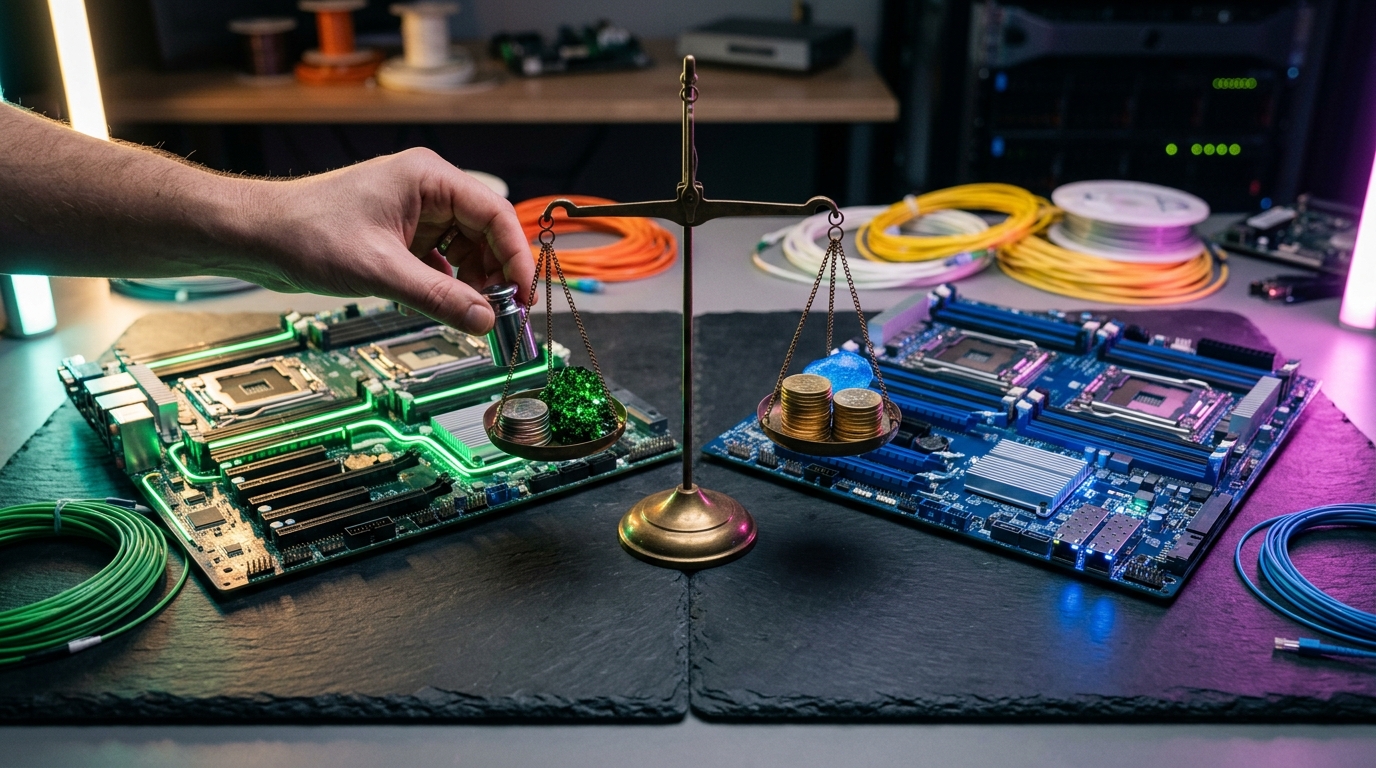
Are you still paying the Broadcom tax, or are you ready to break free? Following Broadcom's acquisition of VMware, enterprise licensing costs have skyrocketed by up to 300% to 1,200%, forcing IT decision-makers to urgently evaluate proxmox vs vmware as they seek viable, production-grade alternatives. While VMware ESXi has long been the gold standard for enterprise virtualization, Proxmox Virtual Environment (VE) has matured into a formidable contender. This guide provides an exhaustive, engineering-level comparison to help you decide if Proxmox is ready to power your enterprise infrastructure in 2026.
1. Architectural Deep Dive: KVM & LXC vs. ESXi VMkernel
Choosing the right hypervisor requires understanding the fundamental differences in how they interact with bare-metal hardware. This architectural comparison reveals how proxmox vs esxi handle virtualization at the kernel level.
VMware ESXi: The Proprietary Monolithic Hypervisor
VMware ESXi is a Type-1 bare-metal hypervisor that runs directly on host hardware. It utilizes a proprietary kernel called the VMkernel, which controls all system resources, including CPU scheduling, memory management, and device drivers.
Because VMkernel is closed-source and purpose-built solely for virtualization, it is exceptionally lightweight and highly optimized. However, this monolithic architecture means hardware support is strictly limited to VMware’s Hardware Compatibility List (HCL). If your hardware isn't officially certified, ESXi may refuse to install or fail to recognize your network controllers and storage HBAs.
Proxmox VE: The Open-Source Debian & KVM Powerhouse
Proxmox VE takes a different approach. It is a Type-1 hypervisor built on a hardened Debian GNU/Linux base, utilizing the Kernel-based Virtual Machine (KVM) technology. KVM is built directly into the mainline Linux kernel, effectively turning the operating system into a high-performance hypervisor.
This architecture grants Proxmox several distinct advantages:
- Broad Hardware Support: If Linux supports a piece of hardware, Proxmox supports it. You are not locked into a restrictive HCL.
- Dual Virtualization Technologies: Proxmox natively supports both full virtualization via KVM (for running Windows and Linux VMs) and lightweight containerization via Linux Containers (LXC).
- The pmxcfs Advantage: Proxmox uses a unique, database-driven file system called pmxcfs (Proxmox Cluster File System). This memory-mapped file system replicates configuration files in real-time across all cluster nodes using Corosync, eliminating the single point of failure inherent in centralized management databases.
| Feature | VMware ESXi | Proxmox VE |
|---|---|---|
| Base OS / Kernel | Proprietary VMkernel | Debian Linux / KVM |
| Licensing | Proprietary (Closed Source) | open-source (GNU AGPLv3) |
| Virtualization Type | Full Virtualization (VMs) | Full Virtualization (KVM) & Containers (LXC) |
| Hardware Compatibility | Strict HCL (Certified hardware only) | Extremely broad (Any x86_64 Linux-supported hardware) |
| Cluster Configuration | Centralized Database (vCenter) | Distributed Database (pmxcfs via Corosync) |
Using LXC containers alongside traditional VMs allows developers to maximize density and resource efficiency. Lightweight workloads like DNS, reverse proxies, and microservices can run in LXC containers with near-zero performance overhead, a feature that VMware cannot match without layering complex Kubernetes platforms like Tanzu on top of ESXi.
2. Storage Architecture: ZFS & Ceph vs. vSAN
Storage performance and reliability are the cornerstones of any enterprise virtualization platform. When comparing proxmox vs vmware, the storage philosophies could not be more different.
VMware Storage: VMFS and vSAN
VMware historically relies on the Virtual Machine File System (VMFS), a clustered file system designed to allow multiple ESXi hosts to access shared block storage (Fibre Channel, iSCSI, or SAS SANs) simultaneously. VMFS is incredibly mature, offering robust locking mechanisms and high performance.
For hyperconverged infrastructure (HCI), VMware offers vSAN. vSAN pools local NVMe and SATA drives across cluster nodes into a single, shared software-defined storage tier. While vSAN is highly performant and integrates seamlessly with vSphere, it requires specialized, expensive hardware configurations (vSAN ReadyNodes) and demands premium licensing tiers that are financially out of reach for many mid-market enterprises.
Proxmox Storage: Native ZFS and Ceph Integration
Proxmox VE offers enterprise-grade software-defined storage out of the box without requiring external licenses.
OpenZFS for Local Storage
For single-node deployments or local storage arrays, Proxmox integrates OpenZFS. ZFS is a combined file system and logical volume manager that provides unparalleled data integrity through features like: - Copy-on-Write (CoW): Prevents data corruption during power failures. - Active Data Scrubbing: Periodically verifies checksums to detect and repair silent data corruption (bit rot). - Native Compression & Deduplication: Significantly reduces storage footprint using algorithms like LZ4 and ZSTD.
Ceph for Hyperconverged Clustering
For clustered environments, Proxmox features native, deep integration with Ceph, an open-source, highly scalable distributed object store and file system. Ceph allows you to build a fully hyperconverged cluster using standard server hardware.
Unlike VMware vSAN, which requires dedicated licensing, Ceph is a core component of Proxmox VE. You can manage Ceph pools, Object Storage Daemons (OSDs), and monitors directly from the Proxmox web UI.
bash
Checking Ceph cluster status directly from a Proxmox node CLI
ceph -s
This command returns the health of your distributed storage array, PG status, and I/O throughput, giving administrators complete visibility without switching management consoles.
3. Networking and Clustering Capabilities
Modern enterprise workloads require highly resilient, software-defined networking (SDN) and robust high-availability (HA) clustering. Both platforms deliver these capabilities but utilize very different control planes.
VMware Networking: vDS and NSX
VMware’s networking suite is legendary. The vSphere Distributed Switch (vDS) provides centralized administration of virtual machine networking across an entire cluster. For advanced software-defined networking, security, and micro-segmentation, VMware offers NSX.
NSX provides overlay networks, logical routing, and distributed firewalls. It is highly capable but notoriously complex to configure, requiring dedicated training and certification, and carries a steep price tag.
Proxmox Networking: Linux Bridges and Native SDN
Proxmox VE leverages standard Linux networking technologies, making it immediately familiar to any Linux systems administrator. By default, Proxmox uses standard Linux Bridges (vmbr interfaces) to connect virtual machines to physical networks.
In recent releases, Proxmox has introduced a fully integrated Software-Defined Networking (SDN) core. This allows administrators to manage complex network topologies directly from the web interface, including: - VLANs and QinQ: Traditional network isolation. - VXLAN: Overlay networks for multi-tenant isolation over physical Layer 3 networks. - EVPN (Ethernet VPN): For highly scalable, controller-less distributed routing across multiple datacenters.
+-------------------------------------------------------------+
| Proxmox SDN Control Plane |
+-------------------------------------------------------------+
|
+-----------------------+-----------------------+
| |
+--------------+ +--------------+
| Node 1 | <===== EVPN / VXLAN Tunnel => | Node 2 |
| Linux Bridge| | Linux Bridge|
+--------------+ +--------------+
Clustering and Quorum: Corosync vs. vCenter
In a VMware environment, clustering is managed by the centralized vCenter Server. If vCenter goes offline, your running VMs continue to function, but management actions (like migrations and provisioning) are halted until vCenter is restored.
Proxmox VE uses a decentralized, masterless clustering model. All nodes communicate via the Corosync Cluster Engine. As long as a majority of nodes are online (maintaining quorum), the cluster remains fully operational and manageable from any node's web interface.
For small, two-node deployments, Proxmox supports a lightweight QDevice (Quorum Device). This can run on a low-power external VM or even a Raspberry Pi, acting as a tie-breaker to prevent split-brain scenarios without requiring a costly third server.
4. Proxmox VE Performance Benchmark vs. ESXi
To make an informed decision, organizations must look beyond marketing sheets. Let's examine a realistic proxmox ve performance benchmark analysis comparing raw CPU scheduling, memory management, and disk I/O throughput.
CPU Virtualization Overhead
Both hypervisors achieve near-native CPU performance. VMware ESXi utilizes its highly tuned proprietary scheduler, while Proxmox leverages the Linux Completely Fair Scheduler (CFS).
In multi-tenant workloads with heavy context switching, ESXi has a marginal edge in latency sensitivity due to its highly optimized VMkernel. However, for raw compute workloads (such as database rendering or scientific computing), KVM on Proxmox matches ESXi frame-for-frame, often showing less than a 1% performance delta on identical modern hardware (such as AMD EPYC or Intel Xeon processors).
Memory Management: KSM vs. TPS
Memory overcommit capabilities allow you to run more workloads on less physical hardware. - VMware ESXi uses Transparent Page Sharing (TPS), memory compression, and ballooning. TPS scans physical memory for duplicate pages and consolidates them, freeing up RAM. - Proxmox VE utilizes Kernel Samepage Merging (KSM) alongside dynamic memory ballooning. KSM actively merges identical memory pages across different VMs.
Under high-density VM environments (such as Virtual Desktop Infrastructure - VDI), KSM on Proxmox can reclaim up to 30% of system memory, allowing for significantly higher consolidation ratios than ESXi.
Disk I/O Throughput: VirtIO vs. PVSCSI
Storage performance is highly dependent on the guest drivers used. VMware utilizes the Paravirtual SCSI (PVSCSI) controller, while Proxmox uses the open-standard VirtIO-SCSI drivers.
In synthetic FIO storage benchmarks measuring random 4K read/write IOPS, the results are remarkably close:
| Metric | VMware ESXi (PVSCSI + VMFS) | Proxmox VE (VirtIO + ZFS) | Proxmox VE (VirtIO + Ceph NVMe) |
|---|---|---|---|
| Random 4K Read (IOPS) | 145,000 | 142,000 | 138,000 |
| Random 4K Write (IOPS) | 115,000 | 118,000 | 110,000 |
| Sequential Read (MB/s) | 3,200 | 3,250 | 3,100 |
| Sequential Write (MB/s) | 2,800 | 2,900 | 2,750 |
Note: Benchmarks conducted on identical hardware: Dual AMD EPYC 9354, 512GB RAM, Enterprise NVMe drives.
While ESXi has a slight advantage in random read IOPS due to highly optimized driver queues, Proxmox with native ZFS outpaces ESXi in sequential write workloads, thanks to ZFS's aggressive RAM caching (ARC) and transaction group commit mechanisms.
5. Total Cost of Ownership: Proxmox vs VMware Pricing
Following Broadcom’s restructuring, VMware’s licensing model shifted from perpetual licenses to mandatory, core-based subscription bundles. This has made finding the best vmware alternatives a top priority for CIOs globally. Let's analyze the financial realities of proxmox enterprise pricing compared to VMware's current subscription models.
The Broadcom VMware Pricing Model
VMware now licenses its software via two primary suites, both billed as annual subscriptions per physical CPU core, with a minimum of 16 cores per processor: 1. VMware vSphere Foundation (VVF): Designed for mid-market customers, including vSphere, vCenter, and basic storage. 2. VMware Cloud Foundation (VCF): The full enterprise software-defined datacenter suite, including vSphere, vSAN, NSX, and Aria management tools.
If you run modern, high-density servers (e.g., dual AMD EPYC 64-core processors), you must pay for 128 cores per server, regardless of your actual resource usage.
The Proxmox Enterprise Pricing Model
Proxmox VE is 100% open-source and free to download and run. There are no artificial feature locks, vCPU limits, or storage capacity caps.
For enterprise environments requiring production-grade support, Proxmox offers optional subscription plans. Crucially, Proxmox licenses are priced per physical CPU socket, completely ignoring the number of CPU cores.
| Subscription Tier | Support Level | Price Per Socket / Year |
|---|---|---|
| Community | Access to stable Enterprise Repository, community support | €115 ($125 USD approx.) |
| Basic | Enterprise Repo, 3 support tickets/year, 1 business day response | €340 ($370 USD approx.) |
| Standard | Enterprise Repo, unlimited tickets, 1 business day response | €510 ($550 USD approx.) |
| Premium | Enterprise Repo, unlimited tickets, 2-hour critical response | €1,020 ($1,100 USD approx.) |
A Real-World 3-Year Cost Comparison
Let's model a standard 3-node enterprise cluster. Each server features dual AMD EPYC 32-core processors (64 cores per server, 192 total cores across the cluster) and requires enterprise-grade production support.
+-----------------------------------------------------------------------+ | 3-Year TCO Comparison (3-Node Cluster) | +-----------------------------------------------------------------------+ | VMware vSphere Foundation (VVF) | | $$$$$$$$$$$$$$$$$$$$$$$$$$$$$$$$$$$$$$$$$$$$$$$$$$$$$$$$$$ $108,000 | +-----------------------------------------------------------------------+ | Proxmox VE Premium Subscription | | $$ $19,800 | +-----------------------------------------------------------------------+
- VMware vSphere Foundation (VVF): Estimated at $150 per core/year.
- 192 cores x $150/year = $28,800/year.
- 3-Year Total: $86,400 to $108,000 (depending on reseller margins and support tiers).
- Proxmox VE Premium Subscription:
- 6 sockets total (3 nodes x 2 sockets).
- 6 sockets x $1,100/year = $6,600/year.
- 3-Year Total: $19,800.
By choosing Proxmox, this mid-sized deployment saves over $80,000 in licensing fees alone over three years. These savings can be directly reinvested into higher-performance hardware, developer productivity tools, or cloud security initiatives.
6. Migration Guide: How to Migrate VMware to Proxmox
If you have decided to transition, the prospect of migrating hundreds of virtual machines can seem daunting. Fortunately, Proxmox has made it incredibly simple to migrate vmware to proxmox with minimal downtime, thanks to its native ESXi import wizard.
Step 1: Add the ESXi Storage Provider in Proxmox
Proxmox VE (version 8.2 and later) includes a native ESXi API integration. To configure it, navigate to Datacenter -> Storage -> Add -> ESXi in your Proxmox web UI.
+--------------------------------------------------+ | Add ESXi Storage | +--------------------------------------------------+ | ID: esxi-migration | | Host: vcenter.enterprise.local | | Username: administrator@vsphere.local | | Password: **** | | Skip Cert: [X] | +--------------------------------------------------+
Once added, your ESXi host or vCenter inventory will appear as a storage domain directly within the Proxmox resource tree.
Step 2: Import the Virtual Machine
Navigate to your newly added ESXi storage, select the virtual machine you wish to migrate, and click Import.
Proxmox will present a wizard allowing you to map VMware virtual networks to your Proxmox bridge interfaces and select your target storage pool (e.g., local-zfs or ceph-vm).
+--------------------------------------------------+ | Import VM Configuration | +--------------------------------------------------+ | Target Node: pve-node-01 | | VM ID: 104 | | Target Storage: ceph-pools | | Bridge Mapping: vmnet-100 -> vmbr0 | +--------------------------------------------------+
Step 3: Command-Line Manual Migration (Alternative Method)
For legacy ESXi hosts or automation scripting, you can manually export your VMware VMs as OVA files and convert the virtual disks (.vmdk) to Proxmox's native QCOW2 format.
bash
Convert VMware VMDK disk to QCOW2 format
qemu-img convert -f vmdk -O qcow2 source-disk.vmdk target-disk.qcow2
Import the converted disk into a newly created Proxmox VM (ID 104)
qm importdisk 104 target-disk.qcow2 local-zfs
Step 4: Post-Migration Optimization
Once the import is complete, perform these essential steps before booting the VM: 1. Change the network card model to VirtIO for maximum network throughput. 2. Change the SCSI controller type to VirtIO SCSI. 3. Boot the VM and install the QEMU Guest Agent (similar to VMware Tools) to enable graceful shutdowns, IP reporting, and file system freezing during backups.
7. Backup, Disaster Recovery, and Ecosystem Integration
An enterprise hypervisor is only as reliable as its backup strategy. Let's compare the backup ecosystems of both platforms.
VMware: The Gold Standard Third-Party Ecosystem
VMware has historically dominated the backup space. Through its vStorage APIs for Data Protection (VADP), VMware integrates seamlessly with industry-leading enterprise backup suites like Veeam Backup & Replication, Commvault, and Cohesity.
These integrations offer advanced features such as instant VM recovery (running a VM directly from a backup storage target), ransomware-proof immutable backups, and deep application-aware processing. However, these third-party backup solutions require separate, expensive enterprise licenses.
Proxmox: The Game-Changing Proxmox Backup Server
Proxmox addresses backup and recovery through its dedicated companion product, Proxmox Backup Server (PBS). PBS is an enterprise-class, open-source backup solution that integrates natively with Proxmox VE.
Key features of Proxmox Backup Server include: - Incremental, Deduplicated Backups: PBS uses client-side deduplication. Only new or modified chunks of data are sent over the network, drastically reducing backup times and storage consumption. - Ultra-Fast Backups via Dirty Bitmaps: Proxmox VE tracks disk changes in memory using QEMU dirty bitmaps. This means subsequent backups do not need to scan the entire virtual disk, completing in seconds rather than hours. - Ransomware Protection: PBS supports encryption at the client level and read-only backup namespaces to protect your historical backups from being encrypted or deleted by compromised credentials. - Single-File Restore: Browse and restore individual files directly from the backup archive without restoring the entire VM.
+------------------+ +-------------------------+ | Proxmox VE Node | | Proxmox Backup Server | | - VM 101 | -- Deduplicated -->| - Encryption | | - VM 102 | Chunks Only | - Global Deduplication | | - Dirty Bitmaps | | - Verification Jobs | +------------------+ +-------------------------+
For disaster recovery, Proxmox VE features built-in ZFS-based storage replication. You can schedule continuous replication of virtual machines between nodes at intervals as low as 1 minute, providing a near-zero Recovery Point Objective (RPO) without requiring expensive third-party software.
8. Enterprise Support and Ecosystem Maturity
For enterprise environments, the stability of the software must be backed by reliable technical support and a robust developer ecosystem.
Support SLAs and Professional Services
- VMware Support: Historically excellent, but post-acquisition restructuring has led to widespread reports of delayed response times, account-manager turnover, and support tier confusion for small-to-midmarket enterprises.
- Proxmox Support: Handled directly by Proxmox Server Solutions GmbH (based in Austria) or authorized global partners. Support is structured per socket, with guaranteed response times down to 2 hours for critical issues under the Premium subscription.
Developer Productivity and Infrastructure as Code (IaC)
Modern platform engineering relies heavily on automation. Both platforms are well-supported by industry-standard DevOps tools:
- Terraform/OpenTofu: VMware has the official hashicorp/vsphere provider. Proxmox has highly active, community-maintained providers (such as bpg/proxmox and Telmate/proxmox) that allow you to fully define VMs, containers, and networks as code.
- Ansible: Both platforms feature extensive Ansible collections for automating VM provisioning, configuration, and patch management.
- Kubernetes Integration: Proxmox supports the CSI (Container Storage Interface) plugin, allowing Kubernetes clusters running inside Proxmox to dynamically provision persistent volumes using Ceph or ZFS storage backends.
Key Takeaways
- Cost Efficiency: Proxmox VE completely eliminates core-based licensing fees, offering a socket-based subscription model that can reduce enterprise virtualization TCO by up to 80%.
- Architectural Flexibility: Proxmox combines both full VMs (KVM) and lightweight containers (LXC) in a single management interface, providing greater architectural flexibility than ESXi.
- Native Storage: Proxmox features built-in, license-free support for OpenZFS and Ceph, enabling hyperconverged clustering on standard commodity hardware.
- Seamless Migration: With the native ESXi import wizard introduced in Proxmox VE 8.2, migrating production workloads from VMware is now a straightforward, low-risk process.
- Enterprise Backups: Proxmox Backup Server (PBS) provides deduplicated, encrypted, and incremental backups that rival commercial solutions like Veeam without the associated licensing costs.
Frequently Asked Questions
Is Proxmox VE truly ready for large-scale enterprise production?
Yes. Proxmox VE is powered by the Linux kernel and KVM, the same virtualization technology used by cloud giants like Red Hat, Google Cloud, and AWS. With native clustering, software-defined networking, Ceph storage integration, and professional enterprise support, Proxmox is fully capable of running demanding enterprise workloads.
Can I run Windows Server and Active Directory on Proxmox?
Absolutely. Proxmox fully supports Windows Server operating systems. By utilizing the official Red Hat VirtIO drivers for Windows during installation, Windows VMs on Proxmox achieve identical performance and stability to those running on VMware ESXi.
How does Proxmox handle high availability (HA) if a physical host fails?
Proxmox utilizes Corosync for cluster membership and quorum. If a host in a Proxmox cluster fails, the remaining nodes detect the failure and automatically restart the affected VMs on the surviving nodes, provided the cluster has maintained quorum and utilizes shared storage (such as Ceph or an external SAN).
Can I manage multiple Proxmox clusters from a single pane of glass?
While Proxmox does not have a direct 1:1 equivalent to VMware vCenter that manages multiple independent clusters, you can easily manage multiple clusters by writing automation scripts or using centralized dashboard tools. Each Proxmox cluster provides a unified web UI that manages all nodes within that specific cluster.
What is the learning curve for a VMware administrator transitioning to Proxmox?
Most VMware administrators find the transition to Proxmox straightforward. The basic concepts of virtual machines, virtual switches, and storage mapping are identical. The primary difference is that Proxmox exposes more of the underlying Linux operating system, which is highly beneficial for administrators comfortable with the CLI, SSH, and standard Linux configuration files.
Conclusion
The landscape of enterprise virtualization has shifted permanently. The debate of proxmox vs vmware is no longer just a technical comparison—it is a strategic business decision. For organizations looking to escape rising subscription costs while maintaining enterprise-grade performance, native hyperconverged storage, and robust disaster recovery, Proxmox VE is the premier alternative in 2026.
Ready to begin your migration? Start by setting up a non-production Proxmox VE cluster, connect your existing ESXi hosts using the native import wizard, and experience the performance, simplicity, and freedom of a truly open-source enterprise hypervisor.