In 2026, building a Retrieval-Augmented Generation (RAG) system that relies solely on static vector databases is like navigating a modern metropolis with a paper map from 1998. Large Language Models (LLMs) are incredibly powerful, but their knowledge cutoffs and tendency to hallucinate under pressure remain persistent challenges. To bypass these limitations, choosing the best search api for rag is the single most critical architectural decision you will make to ensure your AI agents have access to real-time, high-fidelity web grounding.
Traditional search engines like Google and Bing were designed for human eyes, returning bloated HTML, tracking scripts, and SEO-optimized fluff. AI agents, however, require clean, structured, and semantically dense data. This paradigm shift has given rise to specialized search APIs designed specifically for LLM context windows.
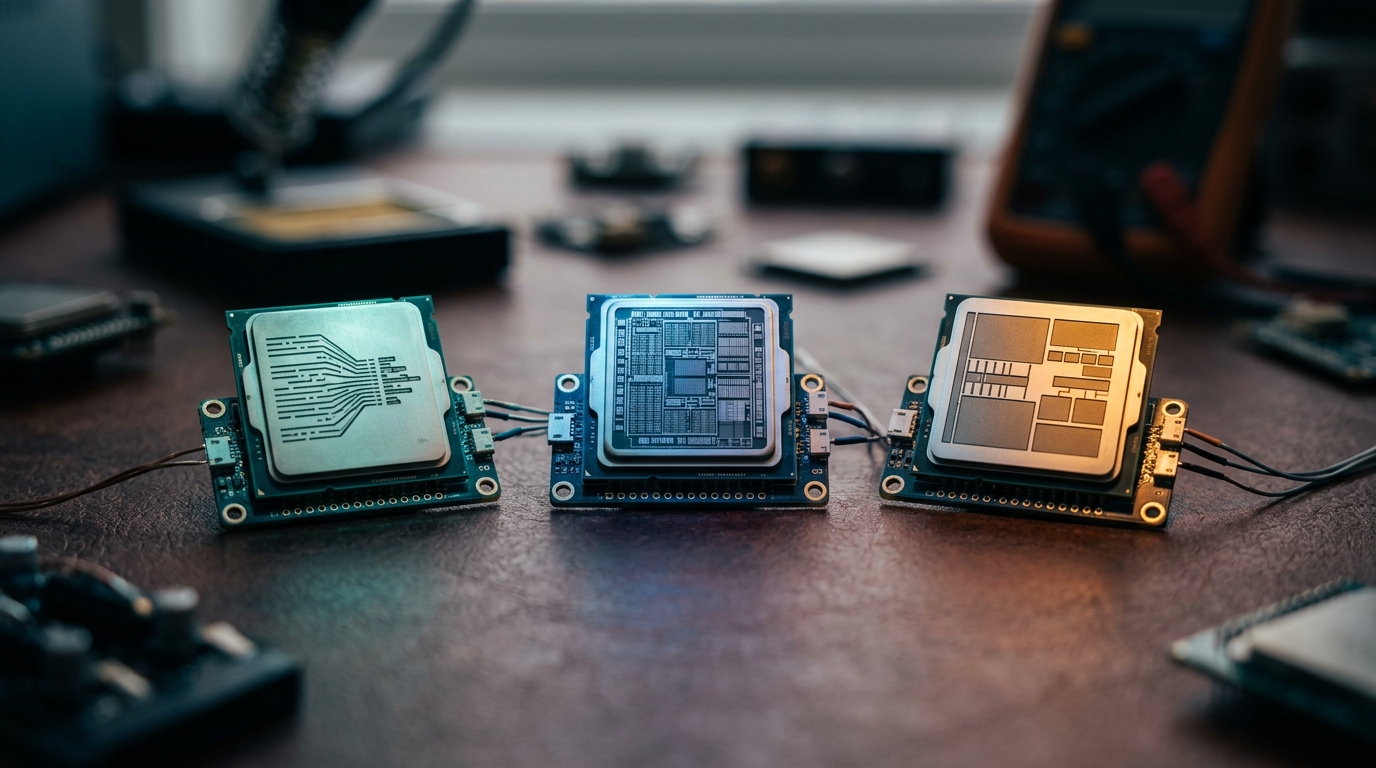
In this comprehensive guide, we will run deep technical benchmarks on the three leading contenders in this space: Tavily, Exa (formerly Metaphor), and Brave Search. By the end of this article, you will know exactly which API fits your latency budget, token constraints, and performance requirements.
The Evolution of Web Search in LLM Pipelines
Traditional search APIs were built for a world of blue links and human clicks. When developers first started building RAG systems, they naturally reached for Google Custom Search or Bing Web Search. However, engineering teams quickly encountered a wall of friction.
When a standard search engine returns a list of URLs, a RAG pipeline must perform several expensive steps: 1. Fetch: Download the raw HTML from each target webpage. 2. Clean: Strip out boilerplate code, CSS, JavaScript, navigation bars, and advertisement tracking scripts to avoid wasting precious LLM tokens. 3. Chunk & Embed: Break the remaining text into semantic chunks and generate vector embeddings. 4. Rerank: Determine which chunks actually answer the user's prompt.
This multi-step pipeline introduces massive latency (often 3 to 5 seconds per query), high infrastructure complexity, and fragile scraping scripts that break whenever a target website updates its DOM.
To solve this, the modern AI stack utilizes a dedicated web search api for llm integration. These next-generation APIs handle the searching, scraping, cleaning, chunking, and ranking natively, returning clean JSON payloads that can be injected directly into an LLM's prompt window. Let's analyze how the top three solutions approach this problem.
Deep Dive: Tavily Search API
Tavily was built from the ground up specifically for LLMs and autonomous AI agents. Instead of returning raw search results, Tavily acts as an end-to-end research assistant. It executes parallel search queries, scrapes the most promising pages, extracts the core text, and uses its own internal LLM to synthesize and rank the results based on factual accuracy and relevance.
User Query ──> Tavily API ──> Multi-Query Expansion ──> Parallel Scraping ──> LLM Reranking ──> Clean JSON
Key Features of Tavily
- Search Depth Control: Offers both
basic(fast, low latency) andadvanced(deep research, multi-step queries) search modes. - Built-in Summarization: Can return a concise, synthesized answer alongside the raw search sources, saving you an additional LLM generation step.
- Raw Content Extraction: The API can return clean, markdown-formatted page content directly in the payload, eliminating the need for external scraping tools.
- Native Integrations: First-class support in popular orchestration frameworks like LangChain, LlamaIndex, and AutoGen.
Tavily Python Integration Example
Here is how simple it is to retrieve clean, RAG-ready context using Tavily's official SDK:
python from tavily import TavilyClient
Initialize the client with your API key
tavily_client = TavilyClient(api_key="tvly-your-api-key")
Execute a search optimized for RAG context
response = tavily_client.search( query="What are the latest updates on GPT-5 capabilities as of early 2026?", search_depth="advanced", include_raw_content=True, max_results=3 )
for result in response['results']: print(f"Source: {result['title']} ({result['url']})") print(f"Snippet: {result['content'][:200]}...") print("-" * 40)
Strengths and Weaknesses
- Pros: Incredible ease of use; eliminates the need for a separate scraping and chunking pipeline; highly integrated into the AI agent ecosystem.
- Cons: Higher latency on "advanced" searches due to the multi-step scraping and reranking; can be more expensive per query compared to raw search APIs.
Deep Dive: Exa AI (formerly Metaphor)
Exa AI takes a fundamentally different approach to web search. While Tavily focuses on agentic filtering, Exa is a neural search engine built on vector embeddings. Instead of matching keywords, Exa embeds the entire web into a continuous vector space. It is designed to understand the meaning and intent behind queries, making it an incredibly powerful search api for ai agents that need to perform complex, non-obvious discovery tasks.
Exa's secret weapon is its training methodology. It is trained on how humans link to things on the internet. If you query Exa with a natural language phrase, it searches for pages that would naturally be linked to by that phrase.
Expert Insight: "Exa doesn't search for pages that contain your keywords. It searches for pages that should exist next to your query in a natural sentence. It behaves like an autocomplete engine for the web."
Key Features of Exa
- Neural vs. Keyword Search: Toggle between fully semantic vector search and traditional keyword matching.
- Link-Based Auto-Complete: Query using prompts like "Here is an amazing paper on vector database sharding:" to find highly accurate, contextually relevant academic links.
- Powerful Filtering: Filter results by domain, date range, or category (e.g., only search company blogs, academic papers, or GitHub repositories).
- Highlights and Contents: Exa can scrape the target pages and return only the most semantically relevant paragraphs (highlights), dramatically reducing your token footprint.
Exa Python Integration Example
python from exa_py import Exa
exa = Exa(api_key="your-exa-api-key")
Search using neural embeddings and retrieve clean highlights
response = exa.search_and_contents( "Here is a deep technical breakdown of speculative decoding in LLMs:", type="neural", num_results=3, highlights={ "num_sentences": 3, # Get the 3 most relevant sentences per page "highlights_per_url": 1 } )
for result in response.results: print(f"Title: {result.title}") print(f"URL: {result.url}") print(f"Highlight: {result.highlights[0]}") print("=" * 40)
Strengths and Weaknesses
- Pros: Exceptional semantic understanding; highly customizable extraction capabilities; perfect for finding high-quality, niche links that traditional search engines miss.
- Cons: Requires a slight learning curve to master prompt-based querying; raw keyword searches occasionally require manual toggling.
Deep Dive: Brave Search API for RAG
If Tavily is the end-to-end researcher and Exa is the semantic explorer, then Brave Search is the high-speed, privacy-first infrastructure workhorse. Brave maintains its own independent index of the web (over several billion pages) and does not rely on Bing or Google syndication.
To capture the booming RAG market, Brave introduced its Brave Search API for RAG (part of their "Data for AI" initiative). This API is designed to deliver raw, ultra-low-latency search results optimized for LLM consumption, offering an incredibly cost-effective alternative to specialized AI search startups.
User Query ──> Brave API (Independent Index) ──> Ultra-Low Latency Retrieval ──> Clean JSON Snippets
Key Features of Brave Search API
- Independent Index: Zero reliance on big-tech search infrastructure, ensuring unbiased and highly diverse search results.
- Data for AI Endpoints: Specialized endpoints that return clean, condensed snippets specifically formatted to fit directly into LLM prompts without additional processing.
- Incredible Speed: Consistently registers the lowest latency among all major search APIs, making it ideal for real-time conversational applications.
- Strict Privacy: No user tracking, IP logging, or search history storage, making it the premier choice for enterprise applications with strict compliance requirements.
Brave Search API Python Example
python import requests
api_key = "your-brave-api-key" headers = { "Accept": "application/json", "X-Subscription-Token": api_key }
Call the specialized web search endpoint
url = "https://api.search.brave.com/res/v1/web/search?q=rust+concurrency-safe+data+structures" response = requests.get(url, headers=headers)
if response.status_code == 200: data = response.json() # Extract clean snippets optimized for LLM injection for result in data.get("web", {}).get("results", []): print(f"Title: {result.get('title')}") print(f"Snippet: {result.get('description')}") print("-" * 40)
Strengths and Weaknesses
- Pros: Extremely fast; highly cost-effective; independent index provides diverse data; strict enterprise privacy compliance.
- Cons: Does not natively scrape full-page markdown or perform agentic multi-step research; requires you to handle deep page scraping yourself if snippets are insufficient.
Head-to-Head Comparison: Tavily vs Exa vs Brave
When evaluating tavily vs exa or looking at exa ai vs tavily alongside Brave, it helps to see their core specifications side-by-side. The following table highlights the architectural differences as of 2026.
| Feature | Tavily Search API | Exa AI | Brave Search API (Data for AI) |
|---|---|---|---|
| Primary Search Style | Agentic, Multi-Query, Keyword | Neural Embeddings, Semantic | Keyword, Independent Web Index |
| Target Audience | AI Agents, RAG Pipelines | Deep Semantic Search, Researchers | High-Volume Apps, Privacy-First RAG |
| Built-in Scraping | Yes (returns clean Markdown) | Yes (returns full text/highlights) | No (returns structured snippets) |
| Average Latency | 1.2s - 2.5s (Basic vs. Advanced) | 800ms - 1.5s | 300ms - 600ms |
| Built-in Reranking | Yes (proprietary LLM reranker) | Yes (neural vector similarity) | No (traditional relevance scoring) |
| Developer Ecosystem | Deep LangChain/LlamaIndex support | Growing SDK support, native Python | Standard REST API, easily integrated |
| Data Privacy | Standard cloud privacy terms | Standard cloud privacy terms | GDPR/CCPA compliant, zero-logging |
Architectural Performance: Latency, Filtering, and Content Extraction
In a production-grade RAG pipeline, latency and context window management are everything. If your search API takes two seconds to respond, and your LLM takes another two seconds to generate a response, your users are staring at a loading spinner for four seconds—a recipe for poor user retention.
Latency Analysis
- Brave Search is the undisputed speed champion. Because it queries a highly optimized, traditional distributed index, it can return results in a fraction of a second. If your RAG application is a real-time voice assistant or a fast-paced chatbot, Brave is the optimal choice.
- Exa sits in the middle. Generating neural embeddings for queries and searching a vector database of the entire web is computationally expensive, but Exa's custom hardware and optimized index keep response times highly competitive.
- Tavily is the slowest of the three in "advanced" mode, but for good reason. It is not just searching; it is actively fetching target pages, cleaning them, and running a secondary LLM pass to score them. If you use Tavily's "basic" search, latency drops significantly, matching Exa's speeds.
Context Window Management & Token Efficiency
Injecting raw, unformatted web pages into an LLM context window is an expensive anti-pattern. Let's look at how these APIs help manage your token footprint:
- Tavily's Markdown Extraction: Tavily strips out all boilerplate HTML and returns clean Markdown. This reduces token consumption by up to 80% compared to raw HTML scraping.
- Exa's Semantic Highlights: Exa's
highlightsfeature is a game-changer for token efficiency. Instead of returning the entire page, Exa uses its transformer model to extract only the sentences that directly answer your query. This allows you to fit information from dozens of pages into a tiny fraction of your LLM's context window. - Brave's Snippets: Brave returns highly dense metadata snippets. While this is incredibly token-efficient, it can sometimes lack the deep context required for complex, technical questions.
Pricing and Scalability: Which Is Most Cost-Effective?
As your RAG application scales from a weekend prototype to a production system handling millions of queries, search API costs can quickly spiral out of control. Developers must carefully calculate their unit economics.
- Brave Search API is highly cost-effective for high-volume applications. Their "Data for AI" tier starts at around $0.50 per 1,000 queries for basic web search. For applications that only require raw snippets to ground conversational LLMs, Brave offers unparalleled scale-to-cost ratios.
- Tavily operates on a credit-based model. Their developer plan starts with a generous free tier of 1,000 API calls per month. Paid tiers start at $15 per month for 5,000 queries (approx. $3.00 per 1,000 queries). While more expensive than Brave, you must factor in the infrastructure savings: you do not need to pay for a separate web scraper, parser, or vector database to process search results.
- Exa AI uses a usage-based pricing structure based on both search queries and content extraction. Basic searches cost roughly $10.00 per 1,000 queries, with additional micro-charges for fetching full document contents or generating neural highlights. Exa is premium-priced, but it delivers unmatched value for complex, high-quality data retrieval tasks.
Choosing the Best Search API for RAG: Decision Framework
There is no single "best" API; the right choice depends entirely on your specific RAG architecture and business goals.
                        ┌──────────────────────────┐
                        │   What is your priority? │
                        └────────────┬─────────────┘
                                     │
              ┌──────────────────────┼──────────────────────┐
              ▼                      ▼                      ▼
    ┌──────────────────┐   ┌──────────────────┐   ┌──────────────────┐
    │ Max Speed & Cost │   │ Semantic Depth   │   │ Agentic Research │
    └────────┬─────────┘   └────────┬─────────┘   └────────┬─────────┘
             │                      │                      │
             ▼                      ▼                      ▼
    ┌──────────────────┐   ┌──────────────────┐   ┌──────────────────┐
    │   Brave Search   │   │      Exa AI      │   │    Tavily API    │
    └──────────────────┘   └──────────────────┘   └──────────────────┘
Choose Tavily if:
- You are building autonomous AI agents (e.g., Devin-like coding assistants, automated market research agents) that need to perform multi-step, iterative research.
- You want an out-of-the-box solution that handles searching, scraping, and summarization in a single API call.
- You are heavily integrated into the LangChain or LlamaIndex ecosystem and want to maximize developer productivity with native tools.
Choose Exa AI if:
- You need to find high-quality, non-obvious links, such as research papers, hidden blog posts, or specific code repositories.
- Your search queries are highly conversational, abstract, or conceptual (where traditional keyword search fails completely).
- You want to minimize LLM token costs by retrieving highly targeted, semantic "highlights" rather than entire web pages.
Choose Brave Search if:
- You are building a high-volume, real-time consumer application (like a search assistant or customer support bot) where latency must remain under 500ms.
- You have strict enterprise data privacy requirements and need a zero-logging, GDPR-compliant search provider.
- You already have a robust, custom scraping and chunking pipeline and simply need a raw, highly reliable, and cost-effective index of the web.
Implementation Guide: Building a Multi-Agent RAG Pipeline
To demonstrate the power of these APIs, let's build a production-grade, multi-agent RAG pipeline using Python. In this architecture, we will use a router to dynamically direct queries: Brave Search for fast, factual queries, and Exa for deep semantic searches.
python import os from exa_py import Exa import requests
class SmartRAGRouter: def init(self): self.exa_client = Exa(api_key=os.getenv("EXA_API_KEY")) self.brave_api_key = os.getenv("BRAVE_API_KEY")
def _query_brave(self, query: str):
    """Fast, low-latency search for factual queries."""
    url = f"https://api.search.brave.com/res/v1/web/search?q={query}"
    headers = {
        "Accept": "application/json",
        "X-Subscription-Token": self.brave_api_key
    }
    response = requests.get(url, headers=headers)
    if response.status_code == 200:
        results = response.json().get("web", {}).get("results", [])
        return [
            {"title": r["title"], "source": r["url"], "text": r["description"]}
            for r in results[:3]
        ]
    return []

def _query_exa(self, query: str):
    """Deep, neural semantic search for conceptual queries."""
    response = self.exa_client.search_and_contents(
        query,
        type="neural",
        num_results=3,
        highlights={"num_sentences": 3, "highlights_per_url": 1}
    )
    return [
        {
            "title": r.title,
            "source": r.url,
            "text": r.highlights[0] if r.highlights else r.text[:300]
        }
        for r in response.results
    ]

def route_and_retrieve(self, query: str, deep_research: bool = False):
    # Automatically route based on user preference or query length
    if deep_research or len(query.split()) > 8:
        print("Routing to Exa (Neural Search)... ")
        return self._query_exa(query)
    else:
        print("Routing to Brave (Fast Keyword Search)... ")
        return self._query_brave(query)
Example Usage
if name == "main": # Make sure to set your environment variables before running # os.environ["EXA_API_KEY"] = "your_key" # os.environ["BRAVE_API_KEY"] = "your_key"
router = SmartRAGRouter()

# Factual query -> Routes to Brave
quick_context = router.route_and_retrieve("Who won the Super Bowl in 2026?")
print(quick_context)

print("
" + "="*50 + " ")
# Conceptual query -> Routes to Exa
deep_context = router.route_and_retrieve(
    "Here is a deep breakdown of why Rust is replacing C++ in systems programming:",
    deep_research=True
)
print(deep_context)
This hybrid architecture allows you to optimize for both speed and depth, ensuring your RAG application remains highly responsive while retaining the ability to perform deep, semantic research when needed.
Key Takeaways
- Tavily is the ultimate developer productivity accelerator for AI agents, offering out-of-the-box scraping, summarization, and agentic filtering.
- Exa AI is a highly powerful neural search engine that uses vector embeddings to understand the semantic intent of queries, delivering incredibly precise "highlights" that drastically reduce LLM token usage.
- Brave Search API is the speed and cost champion, leveraging an independent index of billions of pages to deliver raw, privacy-first search results in under 500ms.
- Hybrid architectures that dynamically route queries between Brave (for fast factual lookups) and Exa/Tavily (for deep conceptual research) offer the best of both worlds in production environments.
- Utilizing specialized AI search APIs eliminates the infrastructure overhead of building, maintaining, and scaling custom web scraping pipelines.
Frequently Asked Questions
What makes an API "optimized for RAG" compared to standard search?
Standard search APIs return raw HTML, tracking scripts, ads, and navigation boilerplate, requiring complex post-processing. A RAG-optimized API returns clean, structured Markdown, semantic highlights, or condensed summaries that can be injected straight into an LLM context window without wasting valuable tokens.
Can I use Tavily and Exa for free?
Yes, both platforms offer generous developer-friendly free tiers. Tavily provides 1,000 free search queries per month, while Exa offers a free trial tier with API credits upon signup. This makes it incredibly easy to prototype and test your RAG pipelines before committing to a paid subscription.
Is Brave Search really independent of Google and Bing?
Yes. Brave maintains its own independent web crawler and search index, which has been built from the ground up. This independence guarantees that your RAG pipeline receives diverse, unbiased results free from the search biases and SEO manipulation often found on larger platforms.
How do these search APIs handle web page paywalls and JavaScript rendering?
Both Tavily and Exa have advanced, built-in scraping infrastructures that can render JavaScript-heavy single-page applications (SPAs) and bypass basic anti-bot protections. However, highly secured paywalled content (like premium news sites or academic journals requiring institutional logins) remains inaccessible to general web search APIs.
How does semantic search differ from keyword search in Exa?
Traditional keyword search looks for exact character matches (e.g., searching for "dog food" returns pages containing those exact words). Exa's neural semantic search uses vector embeddings to search for concepts. If you search for "canine nutrition," Exa can easily surface high-quality pages about dog food, even if the exact phrase "canine nutrition" never appears on the page.
Conclusion
In 2026, the success of your RAG application hinges on the quality, latency, and cost of your data retrieval pipeline. For developers building autonomous, highly integrated AI agents, Tavily provides an unmatched, agentic research experience that accelerates developer productivity. If your application relies on deep semantic understanding, complex conceptual queries, and precise token management, Exa AI's neural search engine is the gold standard. For high-volume, real-time, and cost-sensitive applications, Brave Search offers the raw speed, independent index, and privacy-first infrastructure needed to scale without limits.
By carefully matching your application's specific latency budgets and semantic needs to the right API—or by implementing a hybrid routing strategy—you can build an unstoppable, hallucination-free RAG pipeline ready for the future of AI.