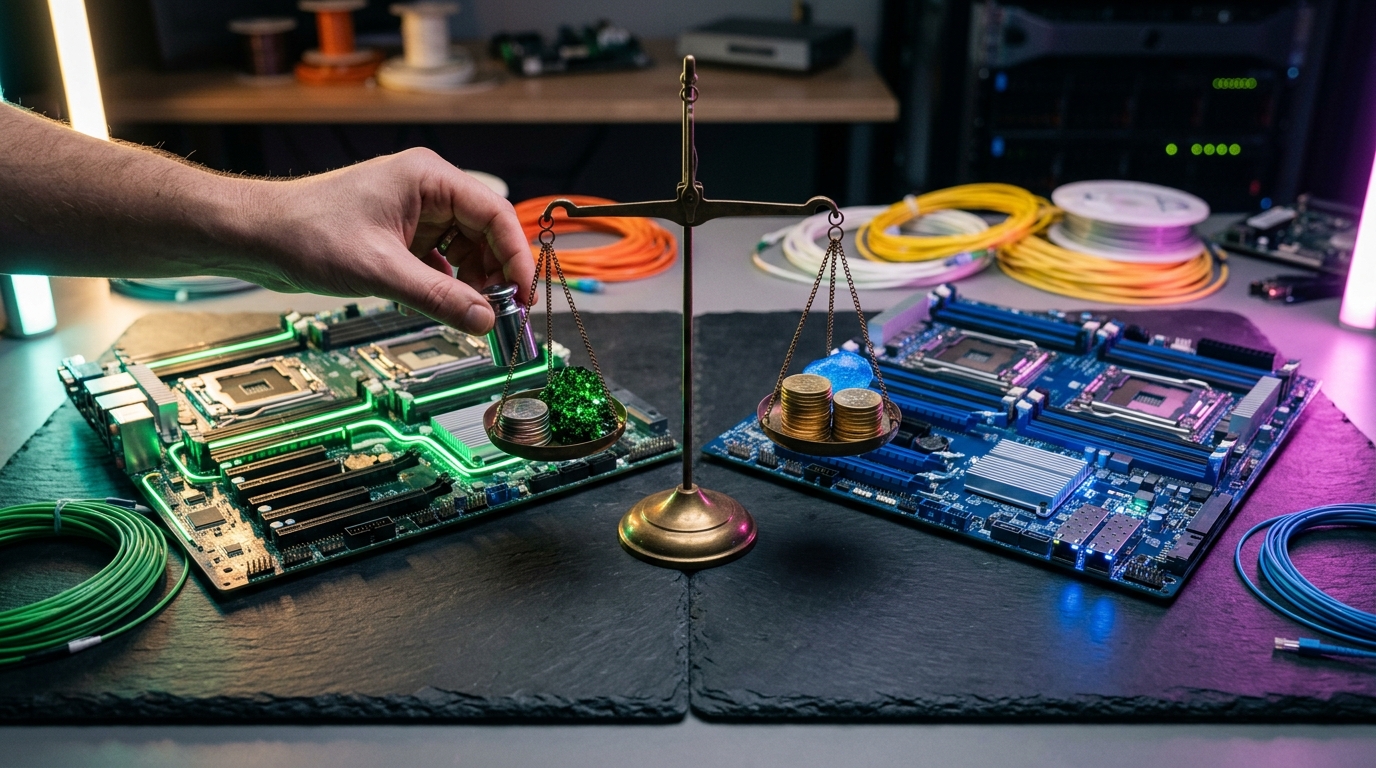
In 2026, the search and analytics landscape has reached a critical tipping point. What began as a dramatic licensing dispute in 2021 has evolved into a full-scale architectural and ecosystem war. For enterprise architects, selecting between Elasticsearch vs OpenSearch is no longer a simple choice of brand; it is a high-stakes decision that dictates your licensing exposure, cloud spend, machine learning capabilities, and operational complexity. Whether you are running massive log aggregation pipelines or building cutting-edge Retrieval-Augmented Generation (RAG) applications, understanding how these two platforms have diverged is essential for future-proofing your data infrastructure.
The Fork: How We Got Here (SSPL, Apache 2.0, and AGPLv3)
To understand the state of Elasticsearch vs OpenSearch 2026, we must first look at the licensing catalyst that split the ecosystem. In January 2021, Elastic changed its licensing model for Elasticsearch and Kibana (starting with version 7.11) from the permissive Apache 2.0 license to a dual-license scheme: the Server Side Public License (SSPL) and the Elastic License 2.0 (ELv2).
This shift was designed to prevent cloud providers—most notably Amazon Web Services (AWS)—from selling Elasticsearch as a managed service without contributing back to the upstream project. AWS responded in April 2021 by forking the last Apache 2.0-licensed version of Elasticsearch (7.10.2) to create OpenSearch.
Since then, the governance models have diverged dramatically:
- OpenSearch was donated to the Linux Foundation and is now overseen by the OpenSearch Software Foundation (OSSF). It is supported by a massive coalition of over 400 organizations and 3,300+ individual contributors, ensuring it remains strictly Apache 2.0 open-source.
- Elasticsearch shocked the industry again in August 2024 by introducing the GNU Affero General Public License (AGPLv3) as a third option alongside SSPL and ELv2 for its free source code. While this means the open-source core of Elasticsearch is once again OSI-approved, its official enterprise binaries and advanced features remain under the restrictive Elastic License 2.0.
The Licensing Gotcha: While Elasticsearch’s AGPLv3 option makes self-hosting more appealing for internal tooling, it does not permit you to build a competing commercial search service or SaaS product without violating the Elastic License 2.0. If you are building a commercial product where search is the primary service, OpenSearch's Apache 2.0 license remains the safest, most flexible legal path.
Elasticsearch vs OpenSearch: The 2026 Architectural Divergence
While both engines are still built on the foundation of Apache Lucene, they are no longer the same software under the hood. Five years of independent development have led to distinct architectural patterns.
                [ Apache Lucene Core ]
                          │
     ┌────────────────────┴────────────────────┐
     ▼                                         ▼
[ Elasticsearch 9.x ] [ OpenSearch 3.x ] ├── logsdb Ingestion Engine ├── Plugin-Oriented Architecture ├── Native ELSER Sparse Vector ├── FAISS & NMSLIB Vector Engines └── Index Lifecycle Management (ILM) └── Index State Management (ISM)
Index Lifecycle Management (ILM) vs. Index State Management (ISM)
Managing data transitions from high-performance "hot" nodes to cheap "frozen" storage is handled differently in each platform. Elasticsearch uses Index Lifecycle Management (ILM), which integrates seamlessly with Elastic's native data tiers (Hot, Warm, Cold, Frozen) and searchable snapshots.
OpenSearch relies on Index State Management (ISM). While ISM is highly configurable, users on platforms like Reddit have noted that Elastic's data tiering and ILM provide a significantly more automated, hands-off experience when moving petabytes of log data from hot storage (retaining 12 hours) to frozen storage (retaining 6 months).
Storage Implementations
Elasticsearch has introduced specialized index modes like logsdb, which heavily optimizes and compresses log data, achieving up to a 65% reduction in disk footprint compared to standard Lucene indexes.
OpenSearch has focused its architectural efforts on segment replication and remote-backed storage (directly backing up shards to Amazon S3 or other object stores). This approach minimizes the CPU and I/O overhead of replication across nodes, boosting write throughput.
API Compatibility and Client Divergence
If you are planning to run a hybrid environment or migrate between platforms, be warned: Elasticsearch 8.x/9.x and OpenSearch 2.x/3.x are no longer API-compatible.
Elastic has introduced strict product-check headers (X-Elastic-Product) into its official client libraries. If an official Elasticsearch client detects it is communicating with an OpenSearch cluster, it will throw a connection error and refuse to execute queries. Similarly, OpenSearch clients have diverged to support OpenSearch-specific features.
Code Comparison: Python Client Initialization
Here is how client libraries have split. If you are writing code for an ASP.NET Core Web API, Python microservice, or Java application, you must use the correct SDK.
Elasticsearch Python Client
python from elasticsearch import Elasticsearch
Elasticsearch client requires authentication and product-check validation
es = Elasticsearch( "https://localhost:9200", api_key="YOUR_ELASTIC_API_KEY", verify_certs=True )
Query syntax utilizes the latest Elastic Query DSL
response = es.search( index="enterprise-logs", query={"match": {"message": "exception"}} )
OpenSearch Python Client
python from opensearchpy import OpenSearch
OpenSearch client supports standard HTTP Basic Auth or AWS IAM signatures
os_client = OpenSearch( hosts=[{'host': 'localhost', 'port': 9200}], http_compress=True, http_auth=('admin', 'admin'), use_ssl=True, verify_certs=False )
response = os_client.search( body={"query": {"match": {"message": "exception"}}}, index="enterprise-logs" )
Security and Governance: Free vs. Paid Enterprise Features
For self-hosted, on-premise deployments, security is the single biggest differentiator of total cost of ownership (TCO) between AWS OpenSearch vs Elasticsearch.
OpenSearch includes a comprehensive enterprise security suite completely free of charge. This includes Role-Based Access Control (RBAC), document- and field-level security, multi-tenancy, and compliance-grade audit logging.
Elasticsearch, conversely, places these same advanced security features behind its commercial Gold and Platinum paywalls. While basic TLS encryption and basic authentication are free in Elasticsearch's Basic tier, implementing granular access controls or integrating with an external identity provider (SAML, OIDC, Active Directory) on-premise requires a costly commercial subscription.
| Security Feature | Elasticsearch (Self-Hosted Basic) | Elasticsearch (Paid Tiers) | OpenSearch (Apache 2.0) |
|---|---|---|---|
| TLS Encryption | Free | Free | Free |
| Basic Auth | Free | Free | Free |
| Role-Based Access Control (RBAC) | Limited | Platinum ($$$) | Free & Built-in |
| Field & Document-Level Security | No | Platinum ($$$) | Free & Built-in |
| SAML / OIDC / SSO Integration | No | Platinum ($$$) | Free & Built-in |
| Audit Logging | No | Gold ($) | Free & Built-in |
| Multi-Tenancy | No | No (Requires separate clusters) | Free & Built-in |
AI, Machine Learning, and Vector Search Capabilities
As generative AI and semantic search dominate enterprise software development, both platforms have invested heavily in vector search databases.
┌──────────────────────────────────────────────────────────────────────────┐ │ VECTOR SEARCH CAPABILITIES (2026) │ ├─────────────────────────────────────┬────────────────────────────────────┤ │ Elasticsearch │ OpenSearch │ ├─────────────────────────────────────┼────────────────────────────────────┤ │ • Max Vector Dimensions: 4,096 │ • Max Vector Dimensions: 16,000 │ │ • Model: ELSER (Proprietary Sparse) │ • Engines: FAISS, NMSLIB, Lucene │ │ • RAG: Native Retriever API │ • RAG: Agentic AI & AI Assistant │ └─────────────────────────────────────┴────────────────────────────────────┘
Elasticsearch Vector Search
Elasticsearch treats vectors as first-class citizens. It supports Hierarchical Navigable Small World (HNSW) graphs natively through Lucene.
- ELSER (Elastic Learned Sparse EncodeR): Elastic’s proprietary sparse vector model provides out-of-the-box semantic search without requiring complex external embedding models. It is highly optimized for search relevance and requires zero machine-learning infrastructure setup.
- RAG Integration: Elastic’s new RAG Retriever API simplifies retrieval-augmented generation workflows by handling chunking, embedding, and retrieval in a single, unified API call.
- Dimension Limit: Supports up to 4,096 vector dimensions.
OpenSearch Vector Search
OpenSearch utilizes a plugin-oriented architecture for vector search, relying on its k-NN (k-nearest neighbors) plugin.
- Engine Flexibility: Unlike Elasticsearch, OpenSearch allows you to choose your underlying vector engine: FAISS, NMSLIB, or Lucene. This makes it incredibly powerful for high-throughput, low-latency approximate nearest neighbor (ANN) searches.
- Vector Dimensions: Supports vector spaces up to 16,000 dimensions and offers advanced vector quantization options to reduce the memory footprint of massive vector indexes.
- Agentic AI: OpenSearch 3.2 introduced "agentic AI" capabilities, including native multimodal embeddings, hybrid search pipelines, and OCSAR (an AI-driven release and operations assistant).
OpenSearch vs Elasticsearch Performance and Resource Efficiency
Performance claims in the OpenSearch vs Elasticsearch performance debate are highly contested. Both companies publish competing benchmarks, but real-world engineering data reveals a nuanced reality.
Elastic's Performance Claims
Elastic published a series of verified benchmarks showing that Elasticsearch is 40% to 140% faster than OpenSearch for log-analytics workloads, and 2x to 12x faster for vector search queries. Elastic attributes this to their deep optimizations within the Lucene query planner, block-max WAND query execution, and custom Java garbage collection tuning.
OpenSearch's Counter-Benchmarking
Independent testing, including a comprehensive benchmark by Trail-of-Bits, paints a different picture. On the standard "Big 5" enterprise search workloads, modern versions of OpenSearch (2.17+ and 3.x) perform comparably to, and in some high-concurrency scenarios faster than, Elasticsearch.
Furthermore, OpenSearch’s segment replication has been shown to reduce CPU utilization on replica nodes by up to 80% during heavy ingestion spikes, boosting overall write throughput by roughly 25%.
Ingestion & Storage Efficiency Comparison:
Elasticsearch (logsdb mode) [████████████████████] 65% Disk Space Reduction (Best for Storage Savings)
OpenSearch (Segment Replication) [██████████████████████████] +25% Ingestion Throughput (Best for High-Volume Writes)
- Storage Consumption: Real-world migrations from OpenSearch to Elasticsearch have shown significant drops in storage consumption. One case study migrating a 1-billion-line log cluster showed a massive reduction in disk usage when moving to Elastic's managed tiers, due to
logsdbcompression and frozen tier searchable snapshots. - Query Latency: OpenSearch 3.2 introduced query optimizations that claim a 91% reduction in query latency compared to legacy OpenSearch 1.3 releases, effectively closing the gap with Elastic's search speed.
Cloud vs. Self-Hosted: Elastic Cloud vs AWS OpenSearch
When deploying in the cloud, the decision often shifts from software features to managed service capabilities. Here is how Elastic Cloud vs AWS OpenSearch compare in production.
Elastic Cloud
Elastic Cloud is the official managed service provided by Elastic, running on AWS, Google Cloud Platform (GCP), and Microsoft Azure.
- Pros: Access to the complete, un-crippled Elastic Stack (including Elastic APM, Fleet, SIEM, and machine learning features). It is always aligned with the latest Elasticsearch releases (9.x) and includes ELSER out of the box.
- Cons: Tends to be more expensive than generic cloud offerings. Pricing is tiered based on subscription levels (Standard, Gold, Platinum, Enterprise), and unlocking advanced features can require high-pressure sales engagements.
Amazon OpenSearch Service
AWS OpenSearch Service is the dominant managed offering for OpenSearch, deeply integrated into the AWS ecosystem.
- Pros: Seamless integration with AWS IAM, VPC security, CloudWatch, and AWS KMS. It offers a fully managed OpenSearch Serverless tier, removing the need for shard allocation, cluster sizing, and capacity planning. Storage costs can be minimized using UltraWarm and Cold storage tiers backed by S3.
- Cons: Lacks Elastic's proprietary ML models (like ELSER) and Kibana’s advanced visualization tools (like Canvas and Lens). Some users have complained that the OpenSearch Dashboards UI feels less polished and more "bug-ridden" compared to Kibana 8.x/9.x.
Migration Playbook: Moving Between Platforms in 2026
If you are currently running Elasticsearch 7.10 (the pre-fork version) or looking to switch between modern versions, here is what you need to know about migration complexity.
              [ Elasticsearch 7.10 ]
                         │
     ┌───────────────────┴───────────────────┐
     ▼                                       ▼
[ OpenSearch 2.x / 3.x ] [ Elasticsearch 8.x / 9.x ] - Simple Snapshot/Restore - Simple Upgrade Path - Recreate ISM Policies - Must Accept SSPL/ELv2/AGPL - Update Client Libraries - Strict X-Elastic-Product Headers
Migrating from Elasticsearch 7.10 to OpenSearch 2.x/3.x
Because OpenSearch is a direct descendant of Elasticsearch 7.10, migrating is highly straightforward: 1. Snapshot: Take a snapshot of your Elasticsearch 7.10 cluster to an S3 bucket. 2. Restore: Register the S3 bucket as a repository in your new OpenSearch cluster and restore the indexes. 3. Refactor: Recreate your index lifecycle policies using OpenSearch ISM syntax instead of Elastic ILM.
Migrating from Elasticsearch 8.x/9.x to OpenSearch
Warning: There is no direct snapshot/restore path from Elasticsearch 8.x back to OpenSearch. Elasticsearch 8.x utilizes an internal Lucene segment format and metadata schema that OpenSearch cannot parse.
To migrate from Elasticsearch 8.x to OpenSearch, you must perform a live re-index:
bash
Execute a remote reindex from OpenSearch pointing to your Elasticsearch 8.x cluster
curl -XPOST "https://opensearch-cluster:9200/_reindex?pretty" -H 'Content-Type: application/json' -d' { "source": { "remote": { "host": "https://elasticsearch-cluster:9200", "username": "elastic", "password": "your_password" }, "index": "legacy-logs-*" }, "dest": { "index": "new-opensearch-logs" } }'
Note: This process requires network line-of-sight between both clusters and can be extremely slow for multi-terabyte datasets.
The 2026 Decision Matrix: Which Should Your Team Choose?
To simplify your architectural decision, use this scenario-based guide to choose the right platform for your business requirements.
Choose OpenSearch If:
- You are building a commercial SaaS product: The Apache 2.0 license protects you from any legal ambiguity or licensing costs associated with offering search as a service.
- You are heavily invested in AWS: The AWS managed OpenSearch Service, serverless offerings, and native IAM integrations make deployment and maintenance incredibly simple.
- You are on a tight budget for self-hosted clusters: You need enterprise security features (RBAC, audit logging, multi-tenancy) but cannot afford Elastic’s five-figure Platinum licensing fees.
- You require massive vector spaces: Your machine learning team is utilizing high-dimensional vectors (up to 16,000 dimensions) and requires specialized engines like FAISS.
Choose Elasticsearch If:
- You need best-in-class semantic search with low overhead: Elastic's ELSER model provides unmatched out-of-the-box search relevance without needing external model hosting or complex pipeline setups.
- You are focused on storage efficiency: Your log volume is massive, and you want to leverage Elastic's
logsdbindex compression and automated ILM data tiering to minimize your disk spend. - You rely on the complete Elastic Stack: Your operations team is deeply integrated into Elastic Observability (APM, Fleet, Beats) or Elastic Security (SIEM), where Kibana serves as the single pane of glass.
- You demand polished user interfaces: Your business analysts and developers require the highly intuitive, bug-free visualization capabilities of Kibana 8.x/9.x over OpenSearch Dashboards.
Key Takeaways
- The Licensing Split is Permanent: OpenSearch remains strictly open-source (Apache 2.0) under the Linux Foundation, while Elasticsearch utilizes a hybrid model (AGPLv3 core with proprietary ELv2 commercial binaries).
- API Compatibility is Dead: You can no longer mix-and-match client libraries; Elasticsearch 8.x/9.x and OpenSearch 2.x/3.x must be treated as entirely separate platforms.
- Security Costs Differ On-Premise: OpenSearch provides a complete, free enterprise security suite. Elasticsearch locks advanced RBAC, SAML, and audit logging behind paid tiers for self-hosted clusters.
- AI Strengths Diverge: Elasticsearch wins on plug-and-play semantic search via ELSER and its RAG Retriever API. OpenSearch wins on raw scale, supporting up to 16,000-dimension vector searches via FAISS and NMSLIB.
- Performance depends on use case: Elasticsearch excels at storage compression (
logsdb) and low-latency query planning. OpenSearch excels at high-volume write ingestion via segment replication.
Frequently Asked Questions
Is Elasticsearch open source again in 2026?
Yes and no. In late 2024, Elastic added AGPLv3 as a licensing option for its free source code. However, the official pre-compiled binaries and advanced features (such as machine learning, ELSER, and advanced security) remain under the commercial Elastic License 2.0. If you compile the AGPLv3 source code yourself, you have an open-source engine, but you lack Elastic’s enterprise features.
Can I use Kibana with OpenSearch?
No. Since the fork, Kibana and OpenSearch have diverged completely. OpenSearch utilizes OpenSearch Dashboards (a fork of Kibana 7.10.2), which has been heavily modified. Modern versions of Kibana (8.x and 9.x) contain strict product checks and will refuse to connect to an OpenSearch cluster.
Which platform is better for log analytics and SIEM?
If you have the budget for Elastic’s commercial licenses, the Elastic Stack (with native APM, Fleet, and SIEM tools) offers a highly integrated, polished, and storage-efficient ecosystem. However, if you are self-hosting and need a cost-effective, secure solution without licensing fees, OpenSearch with its free Trace Analytics and Security plugins is a highly capable alternative.
Does AWS OpenSearch support serverless deployments?
Yes. Amazon OpenSearch Serverless is a fully managed, auto-scaling option that removes the operational complexity of managing clusters, sizing instances, and configuring shards. It is highly effective for workloads with unpredictable query or ingestion spikes.
Can I migrate from Elasticsearch 8.x back to OpenSearch?
Not easily. Because Elasticsearch 8.x and 9.x use metadata schemas and internal index formats that are incompatible with OpenSearch, you cannot use snapshot/restore to move data backward. You must set up a new OpenSearch cluster and copy the data over using a live re-index operation.
Conclusion
The battle of Elasticsearch vs OpenSearch in 2026 highlights the maturity of both projects. OpenSearch has successfully transitioned from a defensive AWS fork into a thriving, community-governed open-source powerhouse backed by the Linux Foundation. Meanwhile, Elasticsearch has maintained its edge in developer mindshare, offering highly polished, specialized features for AI-native search and industry-leading storage compression.
For most enterprises, the decision comes down to licensing, budget, and cloud alignment. If you want a zero-licensing-cost, highly secure, AWS-native search database, OpenSearch is your default choice. If you want cutting-edge semantic search, out-of-the-box machine learning, and maximum storage savings, Elasticsearch remains the undisputed king of search relevance.
Are you looking to optimize your enterprise search infrastructure, or planning a complex migration between Elasticsearch and OpenSearch? Contact our team of database reliability engineers and system architects today to design a high-performance, cost-efficient search strategy tailored to your business.